281 days ago, my Tampa Bay Lightning won the Stanley Cup for the 2nd time in franchise history in the Edmonton bubble. Tonight, they won it again, beating the Montreal Canadiens 1-0 in Game 5.

The boat parade is Monday. Way to go Bolts!!
281 days ago, my Tampa Bay Lightning won the Stanley Cup for the 2nd time in franchise history in the Edmonton bubble. Tonight, they won it again, beating the Montreal Canadiens 1-0 in Game 5.
The boat parade is Monday. Way to go Bolts!!
Today Microsoft announced the next version of Windows, Windows 11.
I’ve been a member of the Insider Program since 2015, so recently I started seeing the new Sun Valley UI changes showing up in the 21H2 preview builds flighted to my home PC. New, flatter, more colorful icons, mostly:

Sun Valley in Windows Explorer
An early build of Windows 11 was leaked last week, and while in the past I’ve installed early preview releases (like Windows 7, Windows 8, and Windows 10) on spare hardware, I didn’t have any lying around this time so I spun it up in a virtual machine instead.
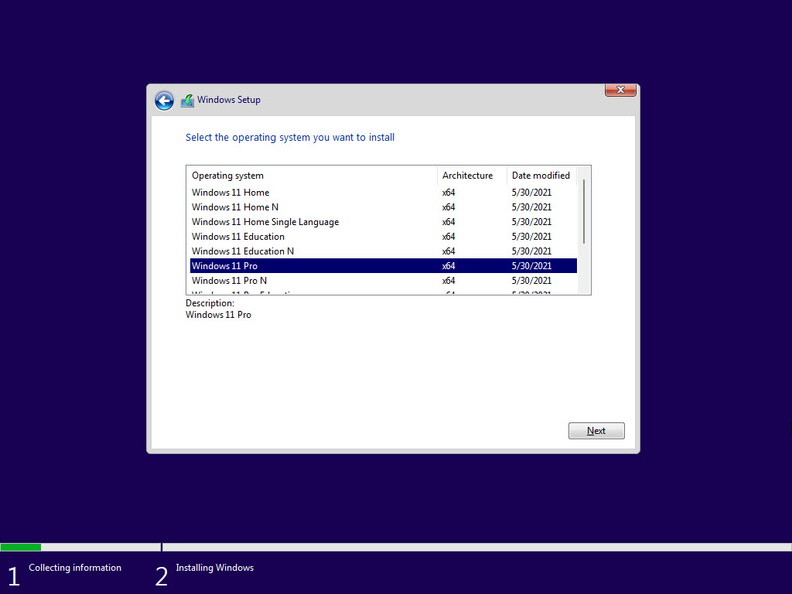
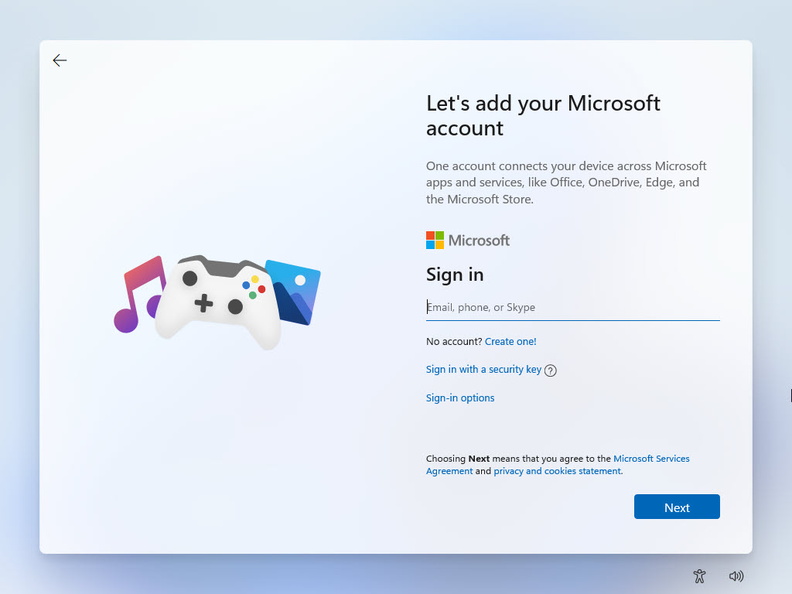
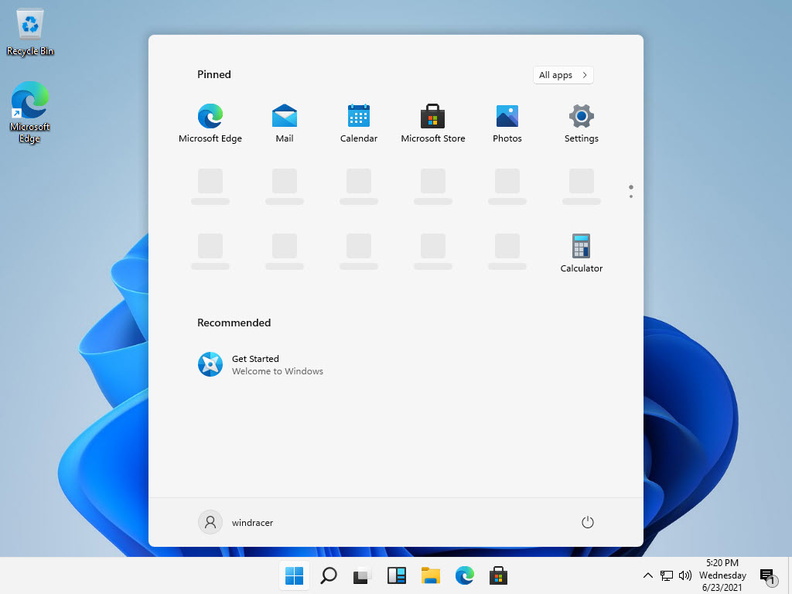
I haven’t had a lot of time to mess around with it, though. But at today’s event they also announced a formal release for Insiders should be coming out on June 30. Unfortunately, the PC Health Check app says my 5-year old Intel NUC can’t run Windows 11 … presumably due to the TPM 2.0 requirement.

sorry, this NUC can’t run Windows 11
That didn’t seem to stop it from running in the VM, but it looks like unless that changes before the final release later this year, I might be looking to build a new desktop. Until then, it looks like I might have just keep it virtualized.
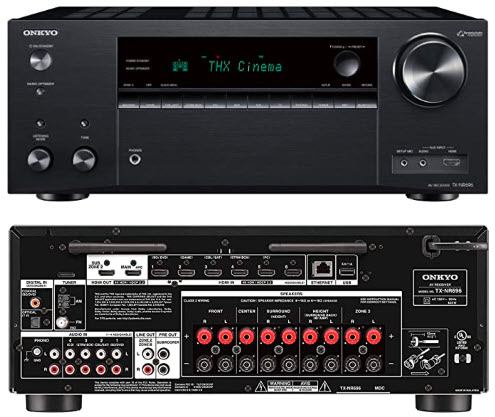 It’s hard to believe I’ve had my Pioneer Elite VSX-24TX for over 21 years. That’s probably a personal record for me using a single piece of electronic equipment. It’s served me well over the years, but alas recently it’s been having problem (the outputs weren’t working reliably, it would take a few power cycles to get them to click in) so I figured it was time for a replacement (it’s so old it doesn’t even have any HDMI jacks, just component and S-Video!).
Since I skipped the Blu-Ray era (never bought a player) and last year cut the cord and left my TiVos for streaming, I really don’t have any video equipment connected to my primary TV. The old DVDs I still own I could play on a PC if I needed to (but honestly all of that stuff is available via streaming now anyway) and the old Wii is connected to a TV in the guest/exercise room (but that’s hardly used as well). The receiver is mainly for audio: surround in the family room for movie watching or playing some vinyl, and a second zone outside by the pool for playing music while swimming (or having a party, once that becomes a “normal” thing again).
My primary requirement was multi-zone, plus modern extras like voice assistant support, Bluetooth, networking, etc. After performing my normal online research and comparisons, I selected the Onkyo TX-NR696.
With the pandemic starting to get under control and things heading back towards “normal” we decided to try a mini (Minnie?) family vacation to kick off the summer and head over to Disney World for Memorial Day Weekend. The last time we did this was 2018. Normally our annual trip to Disney is Labor Day weekend, but with my daughter now in college there are fewer times we can actually go as a family and Labor Day isn’t one of them. We also still don’t have our annual passes so this was just a single day, single park trip.
Spring is here (although my parents up in OH just experienced a late-April snow storm!) which means it’s time to upgrade my Linux server to the new Ubuntu release, 21.04 (Hirsute Hippo). First, the obligatory check-in on my spring sports teams:
Ok, Linux. Despite the issues I had back in October (mostly due to the deprecation of Python 2), the April updates are usually smoother. After a quick backup, I launched the do-release-upgrade and about 20 minutes and a few configuration file updates later, I was up and running on the latest release with the 5.11 kernel:
$ lsb_release -a

Distributor ID: Ubuntu

Description: Ubuntu 21.04

Release: 21.04

Codename: hirsute
$ uname -r

5.11.0-16-generic
I haven’t had an issue free upgrade since Cosmic so I usually find myself Googling for various solutions. This time around, I had a few minor problems:
2021-04-22 21:03:25,207 ERROR Network plugin raised an exception. Traceback (most recent call last):

File "/usr/lib/python3/dist-packages/landscape/sysinfo/sysinfo.py", line 99, in run result = plugin.run()

File "/usr/lib/python3/dist-packages/landscape/sysinfo/network.py", line 36, in run device_info = self._get_device_info()

File "/usr/lib/python3/dist-packages/landscape/lib/network.py", line 163, in get_active_device_info speed, duplex = get_network_interface_speed(

File "/usr/lib/python3/dist-packages/landscape/lib/network.py", line 249, in get_network_interface_speed res = status_cmd.tostring()
It appears that the array.tostring function was deprecated in Python 3.2 and removed in Python 3.9 (which came with the upgrade) but landscape-sysinfo was still using the function call in the Network plugin. I applied a patch (changing tostring to tobytes) and that resolved the issue.
Session startup via '/home/windracer/.vnc/xstartup' cleanly exited too early (< 3 seconds)!

xrdb: Bad file descriptor

xrdb: Can't open display ':1'

Unable to init server: Could not connect: Connection refused

xfce4-session: Cannot open display: .
In my startx file, I switched from startxfce & to exec startxfce which fixed the startup issue, but I still couldn’t connect to the server remotely. It turned out that tigervnc server was only listening on localhost (127.0.0.1). I found that during the upgrade, my /etc/vnc.conf file had been renamed (and the log said it was a deprecated file). I had to make a copy of /etc/tigervnc/vncserver-config-default to ~/.vnc/vnc.conf then set $localhost="no"; (which is what I had done in my original vnc.conf file) and then I was able to connect with the tightvnc client on my PC.
Nothing major. See you here again in October for 21.10 (Impish Indri)!
2021 Home Security/Home Automation Re-Design [ Part 3 of 3 ]
A lot of my old Pulse automations were based on my ADT alarm sensors: open the door into the garage, turn on the garage lights; alarm armed in Away mode, randomize the indoor lights to make the house look occupied; burglar alarm goes off, turn on all of the lights, inside and out. Now that I’d separated the home security and automation systems into Ring and HomeSeer, I needed a way to integrate them together in order to accomplish the same tasks.
Luckily, both products work with Amazon’s Alexa, so a slick combination of Alexa routines and HomeSeer virtual devices became the glue I needed to hold my new system together!
Continue reading ‘Putting it all together – Ring, HomeSeer, and Alexa integration’ »
 2021 Home Security/Home Automation Re-Design [ Part 2 of 3 ]
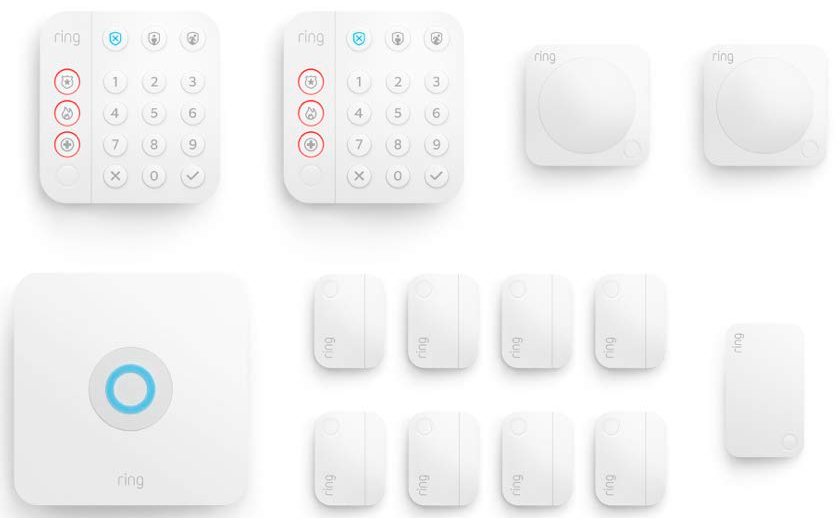
As I posted a few weeks ago, back in January I decided to cancel my ADT Pulse service and replace it with a Ring Alarm security system. It wasn’t a 100% feature-complete replacement though, I still needed something to handle the home automation side of things. While Ring does have some basic integrations with its lights and cameras, I decided that splitting the security and automation systems apart was the smarter and more flexible approach.
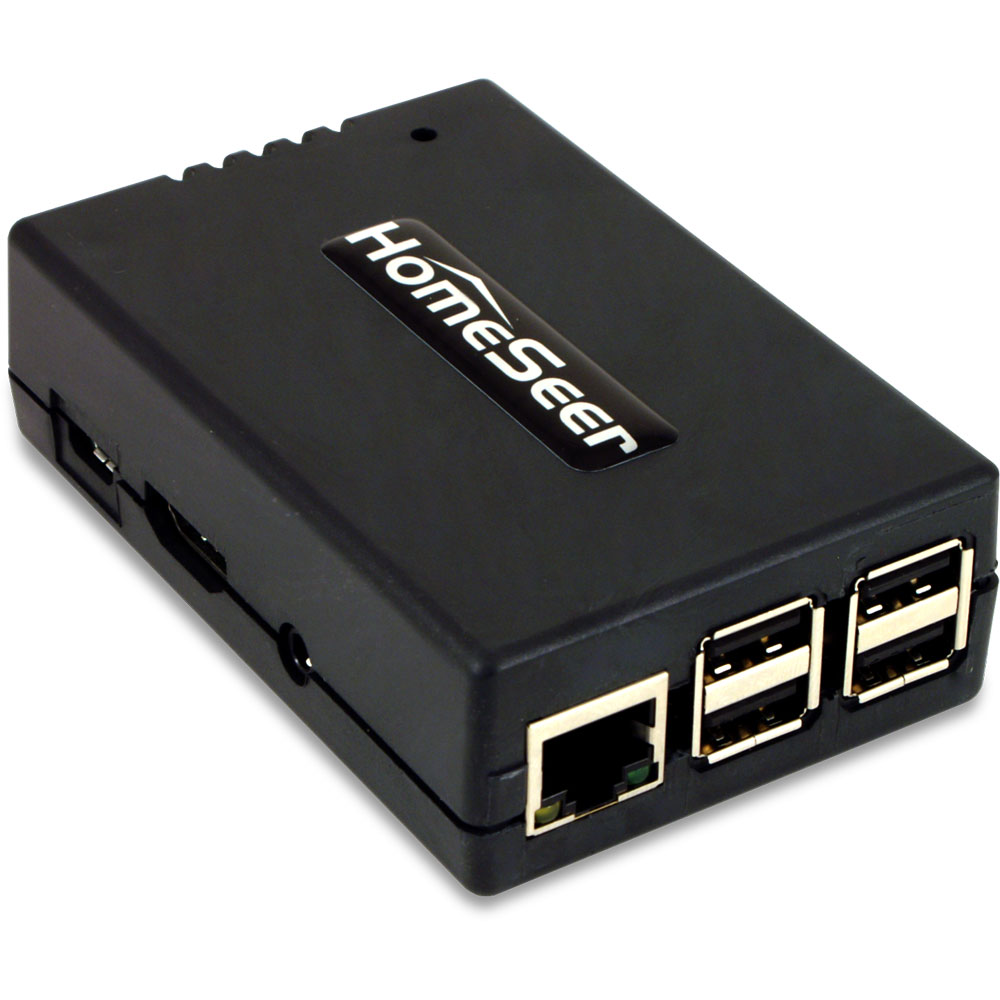
After researching (via online reviews and the community forums) solutions like SmartThings, Hubitat, HomeSeer, Alexa (which turned out to be Zigbee-only), and even briefly considering revisiting Home Assistant, I went ahead and pulled the trigger on a HomeSeer HomeTroller Pi hub. I waffled a lot between the Hubitat and HomeSeer, but decided to start with HomeSeer since it seemed to have more broad compatibility with my existing devices (specifically my garage door opener, door locks and light switches).
2021 Home Security/Home Automation Re-Design [ Part 1 of 3 ]
I’ve been an ADT customer for almost 20 years. When we moved to Florida in 2001, our house already had a hard-wired alarm system put in by the previous owners so subscribing to ADT’s monitoring service was one of the first “utilities” we set up (along with the normal electric, water/sewer, and TV/internet). Over the past two decades we’d added more sensors/zones, switched from the old copper landline to cellular connection, and of course the big upgrade to Pulse back in 2011 that started my interest in home automation.
Unfortunately, the past few years have seen constant rate increases for ADT’s already expensive monitoring service, with little updates or new services being added to Pulse to justify the expense (rumor has it they are also pushing customers away from Pulse to Control). Additionally, we’d been experiencing an increase in false alarms being triggered by window sensors (ADT support: maybe the wind shook your window? Me: I live in Florida and have hurricane rated impact windows, the wind is not shaking my windows), always seemingly in the middle of the night and even with fresh batteries in the sensors. Finally, earlier this year ADT experienced a two-week outage of their Alexa skill, during which I made several calls to support speaking with clueless representatives who wanted to send a technician to my house! This was the last straw. I decided I was done wasting my time (and money) with ADT and it was time to look at new options.
As you can tell by the title of this post, I chose the Ring Alarm security system.
Ok, enough sports posts, let’s get back to some tech!
I’ve been distracted from tinkering with my 3D printer lately because for the past two weeks or so I’ve been going through a re-design of my home automation and security setups. After an almost two-week outage of the ADT skill for Alexa (during which I wasted a lot of time on the phone with clueless tech support people who kept trying to walk me through the re-linking process despite the fact it kept failing), plus more false alerts from some of my window sensors and the realization that I was paying ADT a lot of money each month for these hassles, I decided to dump them and move on to something else.
Since ADT was both my security system and home automation hub (through Pulse), this decision necessitated some research and careful planning on how to replace ADT and still be able to use all of the Z-Wave hardware I’ve acquired since 2011 and replicate all of my automations, schedules, alerts, etc. The end result was a combination of Ring Security, HomeSeer, and Amazon Alexa.
I’ve got a lot of cool stuff to write about, so watch this space for three separate posts coming soon about my new setups and experiences with both systems.

And look at this, the Bucs scored 31 points in every playoff game except the divisional round against the Saints where they scored 30:
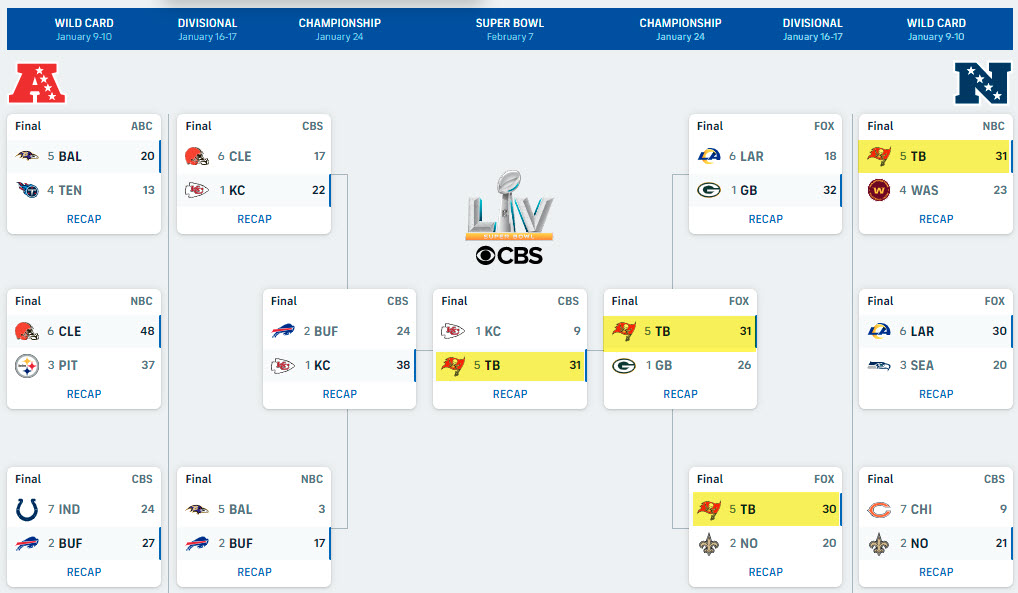
I know I’ve said this a lot, but what a crazy sports year 2020 has been. The Lightning win the Stanley Cup, the Rays went to the World Series, and now the Bucs have won the Super Bowl. Amazing. Go Bucs!!