Two weeks ago I came across this post on The Verge that talked about using CardDAV and CalDAV to sync Google information to iOS devices which, along with the new GMail app promised better synchronization and better battery life and a break from the current ActiveSync/Exchange method I had been using. I’ve been using multiple Google Calendars for personal and family items but my personal contacts were all in my Outlook account at work. I decided it was probably a good idea to clean all of that out and move it elsewhere.
tech
Microsoft Surface RT tablet
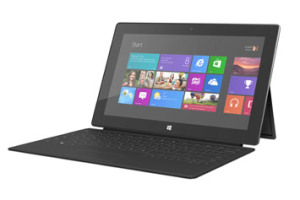
Last month I picked up a 32gb Microsoft Surface RT tablet as a combined birthday/Christmas present for my daughter. In a bit of pre-planning I upgraded her laptop to Windows 8 so she had time to get familiar with the new OS before she finally got the tablet last week. So far, it’s been a hit, despite some of the setbacks of WinRT, but I’ll get into those later.
GoalZero Rock Out portable speaker
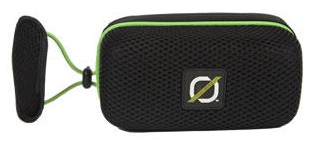 The GoalZero Rock Out portable rechargeable speaker, which I received as a recent birthday present, is the latest addition to my solar-chargeable gadget collection.
The Rock Out unzips around its edges (like a suitcase) to reveal the on/off switch, mini-USB port for charging, audio input jack, and audio output cable. The other half contains a mesh pocket just the right size to hold your smartphone. Fire up your favorite music app, plug in the cable, turn on the speakers, zip up the package, and you’re ready for music on the go. A set of elastic straps along the back make it relatively easy to attach the Rock Out to the handlebars of your bike or just about anywhere. The sound quality is excellent and the speakers are loud, although there are no external volume controls: you have to use the volume on your phone which is a bit of a pain since it involves having to unzip the pouch to access the device (not an easy feat while riding a bike!).
While the Rock Out isn’t a formal part of our hurricane evacuation kit, the fact that it can be charged via the solar panels I already have means it will definitely come with us should that time ever come. For now, though, the Rock Out (plus iHeartRadio on my iPhone) is serving its primary purpose as an entertainment device on our family bike rides.
Windows 8 RTM … accepting the inevitable
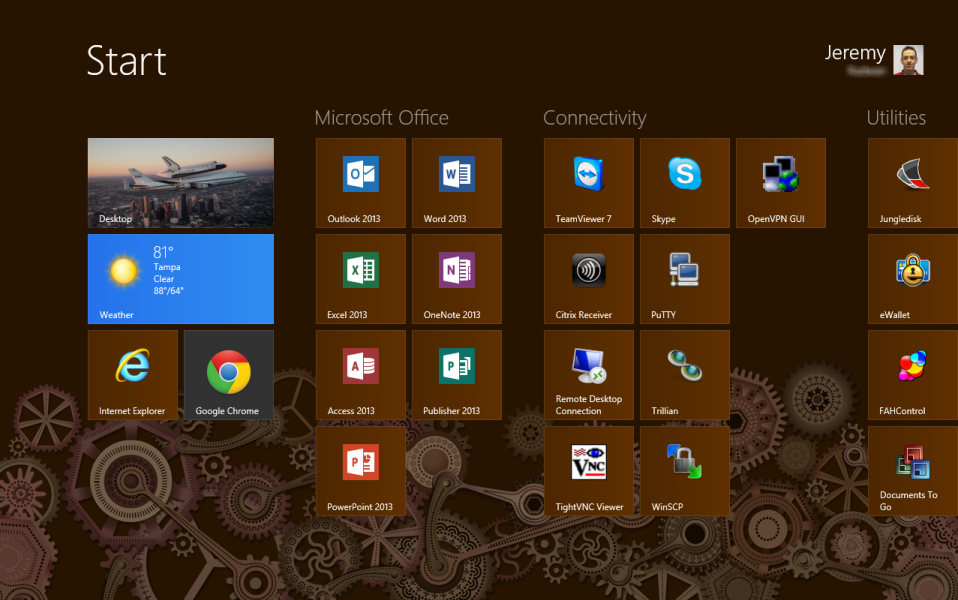
A few weeks ago we got the Windows 8 RTM at work and started installing and upgrading the operating system on our IT machines to get a jump on learning our way around Microsoft’s latest OS before rolling it out to the rest of the office.
I’ve been using the Consumer Preview of Windows 8 on my main machine at work since it was released back in March and while the final RTM version is faster and slightly more polished, not much has changed since the CP, including the fact that I’m still not enamored with Microsoft’s latest desktop offering.
Using the TiVo iOS app over a VPN
TiVo’s mobile app for iOS is great when you’re sitting on the couch watching TV, but it has limited functionality when you’re out and away from your home WiFi network. The remote control and Info features aren’t available in Away Mode which up until now hasn’t been a big deal (why would you want to change the channel on your TV if you’re not at home?). With the recent release of the TiVo Stream and v2.0 of the app, however, there has been renewed interest in accessing the full functionality of the app while away from home … primarily for streaming Live TV and recorded content when not on your home network.
The obvious technical solution to a problem like this is a VPN connection to your home network. But in the case of TiVo it’s unfortunately not that straightforward. It wasn’t easy, but I got it working (sorta, more on that later). So if you don’t mind tinkering with your router, tweaking network settings, and jailbreaking your iOS device, grab a cup of your favorite beverage, roll up your sleeves, and read on …
Netgear WN3000RP WiFi range extender
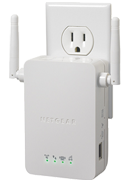 I picked up a refurbished Netgear WN3000RP “universal” WiFi range extender on Amazon figuring that $40 was worth a shot to see if I could fix my wireless signal strength issue around the house.
I’ve tried this before by getting a new wireless router, but the location of my network closet just isn’t conducive to equal coverage since it’s not in the middle of the house. As a result, the signal strength dips sharply on one side of the house which causes occasional issues with devices (like my outdoor cameras) in that area.
The WN3000RP promised an easy way to extend the wireless … just plug it into an outlet between the router and the “dead zone,” make a few web-based configuration changes, and enjoy increased signal strength. As is usual for me, however, it wasn’t that easy … but I did finally get it working.
GoalZero Guide 10 Plus Adventure Kit
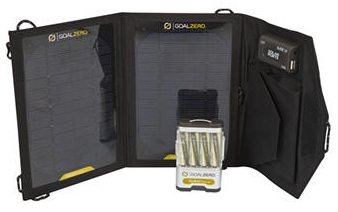 For Father’s Day I received the GoalZero Guide 10 Plus Adventure solar charging kit. I had first heard of this product back in February on an episode of Tekzilla and thought it might be a good addition to our hurricane supplies. I added it to my Amazon Wishlist and then forgot about it until I opened my gift on Sunday.
The kit consists of the Nomad 7 solar panels that provide 7 watts of power, the Guide 10 Plus battery pack powered by four 2300mAh NiMH AA batteries, and various cables.
The beauty of the kit is the wide variety of charging and power options you can get out of these simple components. For example, I could charge my iPhone by connecting it directly to the solar panels via USB or to the battery pack (also over USB). The batteries in the Guide 10 can be charged over USB or the solar panels and removed to be used in anything that takes AA cells like a radio, camera, or flashlight. The battery pack also has a built-in LED flashlight which can come in handy. Finally, the kit includes a 12V cigarette lighter adapter for use with car accessories, but with the limited wattage output of the solar cells you’re not going power anything big like a power inverter (although I did give it a try).
To charge larger devices like a laptop or iPad GoalZero has other solar array options but the one I got is perfect for our hurricane kit to charge our cell phones or smaller devices in an emergency.
Virtual Console and WiiWare games through a USB loader
[ I apologize for using the term “rabbit hole” three posts in a row! -windracer ]
Apparently I have a thing for doing homebrew stuff in April: almost exactly two years after softmodding my Wii so I could load my games from a USB hard drive instead of discs, I found myself wondering if I could do the same for Virtual Console and WiiWare content. Well, of course you can! The path can be confusing and frustrating, but the destination … well, it’s a cool destination.
Parsing the Precise Pangolin
This week the latest LTS version of Ubuntu, 12.04 Precise Pangolin, was released. I waited a little bit for the initial download rush to die down (ok, only one day this time) and then took the plunge and upgraded.
As with my prior upgrades, the ‘do release-upgrade’ process itself was painless but I had a few post-installation issues:
- calibre wouldn’t start with a “ImportError: cannot import name detect_xml_encoding” error. Deleting /usr/lib/calibre/calibre/ebooks/chardet fixed this.
- zoneminder was completely messed up and wouldn’t run. After going down a seemingly unending (and increasingly frustrating) rabbit hole of package dependencies and missing libraries, I gave up trying to re-build it from source and just installed the package via ‘apt-get install zoneminder’. Even after that I had to clean up some of the mess left over by my previous from-source install, but I finally got it working again.
Coming this October: Quantal Quetzal!
Apple iPhone 4S
I got a brand new iOS device this week, but it wasn’t the one everyone else was getting. I couldn’t hold out any longer: after getting my first iPhone 3GS back in 2009, I finally upgraded to the 4S. There was nothing physically wrong with my old iPhone, but after upgrading and jailbreaking iOS 5.01 back in January my old phone continued to get slower and slower and more frustrating to use.