2022 Toyota RAV4 Prime

Toyota RAV4 Prime

At the end of February my (until now) trusty 2013 Toyota Highlander had a sudden and unexpected engine failure which, no longer having a working car, sent us on a stressful week and a half of decisions, research, and frustrating shopping (it is really not a good time, supply-chain wise, to be buying a new car). 

I’ve been driving Highlanders (well, two of them anyway) since 2003. Now that my daughter is off at college (and almost done, at that) I knew my next vehicle was going to be downsized: we no longer needed the cargo capacity, V6 engine, or towing capacity of a large SUV, but still wanted an SUV (or crossover). Since I am pretty fond of Toyotas (we’ve owned two Highlanders, a Camry Hybrid, and a Prius) I was already considering the RAV4 as my next car. 

I won’t go into the details of that stressful time but suffice it to say we had a stroke of luck near the end of our ordeal and wound up with our fantastic new SUV: the 2022 Toyota RAV4 Prime XSE.

Read more

Indoctrination of the Impish Indri

Note: found this in my drafts … guess I forgot to post it back around October 17th, oops!

It’s October … time for cooler (?) weather, fall sports, and a new Ubuntu distro!

After a winning a franchise record 100 games, the Tampa Bay Rays’ season ended quickly in the ALDS losing in 4 games to the (ugh), wildcard Boston Red Sox. My Indians finished their last season as the Indians and although I’m still not enamored with the new Guardians name, I am looking forward to getting back out to Spring Training in March! Brady and the Bucs are sitting at 5-1, and after a 3-1 start, unfortunately Baker and the Browns are at 3-3. The Lightning’s season is just getting started but the 2020 and 2021 defending Stanley Cup Champions are 2-1 and both wins were in OT. Almost forgot about the Cavs … their season starts this week.

Ubuntu 21.10, Impish Indri, was also released this week, so it’s time to upgrade! This one was a bit problematic and almost all of the problems were due to the inclusion of PHP 8:

  • MySQL was broken until I installed php8.0-mysql
  • my primary Piwigo photo site was completely broken since it was still running Piwigo 11.5 so I had to upgrade to the 12.0.0RC2 release candidate
  • even after upgrading, my Piwigo site was filled with ‘undefined array key’ warnings (I had to update the local config to ignore E_WARNING messages)
  • the Search Everything plugin for WordPress was broken due to PHP. the plugin is no longer maintained but I found a manual fix that got it working again
  • and not PHP-related, but for some reason phpMyAdmin was removed, so I had to reinstall it

The list looks short, but it took me a while to work through everything. This is what I get (and I accept it!) for upgrading right away without letting a few days pass and see what kind of problems other people have.

Anyway, that settles things until April, by which time I’ll have hopefully spent some time watching baseball in the Arizona sun before the next upgrade to Jammy Jellyfish!

Building the Altair-Duino

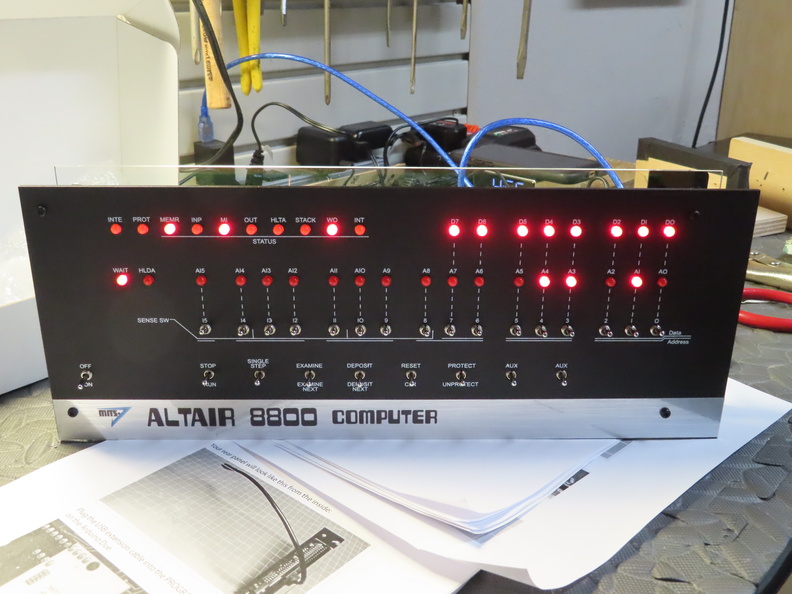
It’s been over two years since my last classic computer kit build and I was getting that itch to add more blinkenlights to my collection. Chris Davis’ Altair-Duino kit has been on my radar since last December when I saw it on episode #797 of Steve Gibson’s Security Now! podcast (which also introduced me Oscar Vermeulen’s excellent PiDP-8 and PiDP-11 kits) and I decided it was finally time to pull the trigger.

I went with the Standard kit over the Pro due to its smaller footprint (more flat instead of the boxier acrylic case) and, though the VT100 emulation calls back to my days as a VAX lab monitor in college, I probably wouldn’t really use it that much. The kit actually arrived the last week of July but I just recently had some time to sit down and build it in an afternoon.

Read more

Windows 11

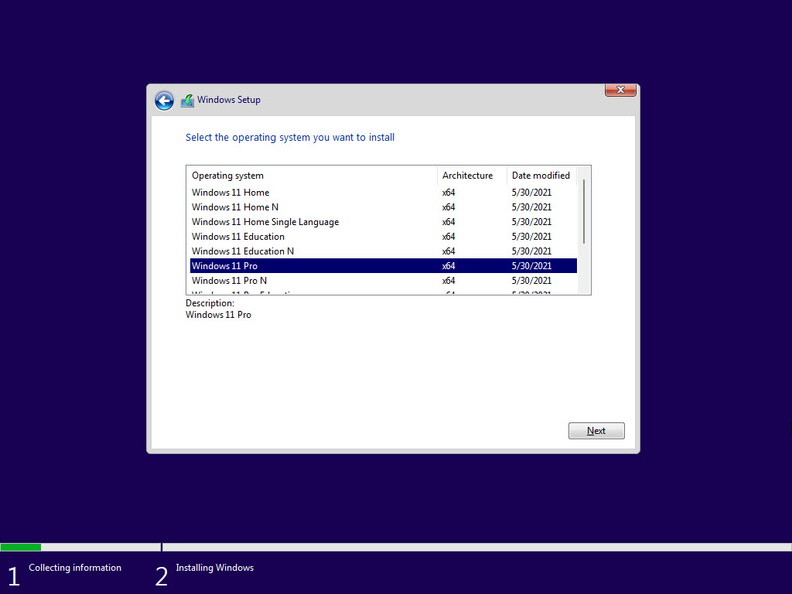
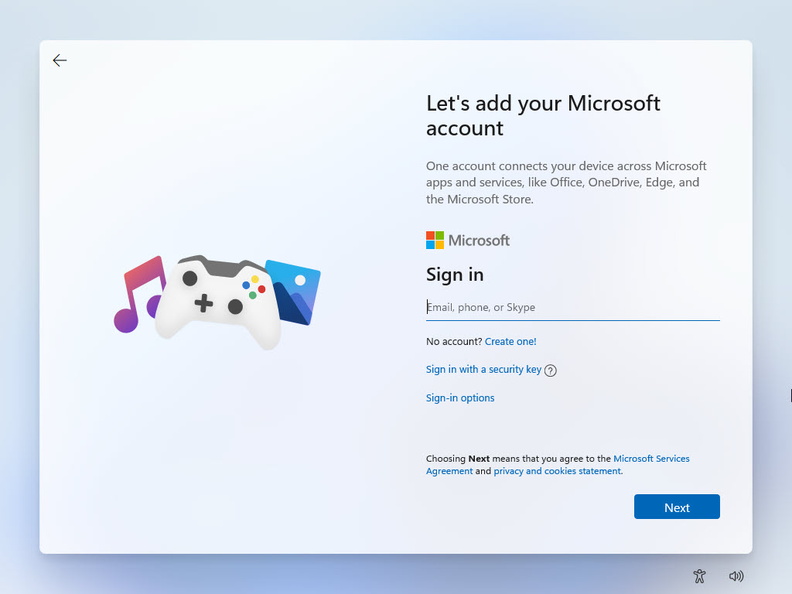
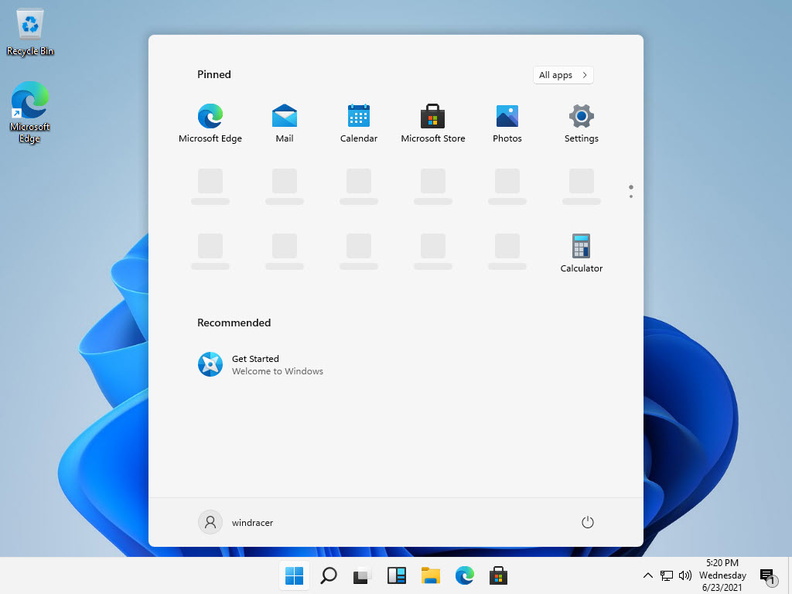
Today Microsoft announced the next version of Windows, Windows 11.

I’ve been a member of the Insider Program since 2015, so recently I started seeing the new Sun Valley UI changes showing up in the 21H2 preview builds flighted to my home PC. New, flatter, more colorful icons, mostly:

Sun Valley in Windows Explorer

An early build of Windows 11 was leaked last week, and while in the past I’ve installed early preview releases (like Windows 7, Windows 8, and Windows 10) on spare hardware, I didn’t have any lying around this time so I spun it up in a virtual machine instead.

I haven’t had a lot of time to mess around with it, though. But at today’s event they also announced a formal release for Insiders should be coming out on June 30. Unfortunately, the PC Health Check app says my 5-year old Intel NUC can’t run Windows 11 … presumably due to the TPM 2.0 requirement.

sorry, this NUC can't run Windows 11
sorry, this NUC can’t run Windows 11

That didn’t seem to stop it from running in the VM, but it looks like unless that changes before the final release later this year, I might be looking to build a new desktop. Until then, it looks like I might have just keep it virtualized.

Hangin’ with the Hirsute Hippo

Spring is here (although my parents up in OH just experienced a late-April snow storm!) which means it’s time to upgrade my Linux server to the new Ubuntu release, 21.04 (Hirsute Hippo). First, the obligatory check-in on my spring sports teams:

  • the Lightning will be heading back to the playoffs to defend their Stanley Cup title … they’re currently third in the Central division in a tight race for 1st with the Hurricanes and Panthers
  • the Rays are in 2nd place in the AL East, just behind the Red Sox
  • the Indians are right in the middle of the AL Central, falling behind the Royals and White Sox
  • the Cavaliers are near the bottom of the Eastern Conference and unsurprisingly won’t make the playoffs this year
  • Brady and Gronk will be back with the Bucs in the fall when they start to defend their Super Bowl title

Ok, Linux. Despite the issues I had back in October (mostly due to the deprecation of Python 2), the April updates are usually smoother. After a quick backup, I launched the do-release-upgrade and about 20 minutes and a few configuration file updates later, I was up and running on the latest release with the 5.11 kernel:

$ lsb_release -a
Distributor ID: Ubuntu
Description: Ubuntu 21.04
Release: 21.04
Codename: hirsute

$ uname -r
5.11.0-16-generic

I haven’t had an issue free upgrade since Cosmic so I usually find myself Googling for various solutions. This time around, I had a few minor problems:

  • When logging in, the login banner showed “There were exceptions while processing one or more plugins. See /var/log/landscape/sysinfo.log for more information.” and the sysinfo.log file showed:

    2021-04-22 21:03:25,207 ERROR Network plugin raised an exception. Traceback (most recent call last):
    File "/usr/lib/python3/dist-packages/landscape/sysinfo/sysinfo.py", line 99, in run result = plugin.run()
    File "/usr/lib/python3/dist-packages/landscape/sysinfo/network.py", line 36, in run device_info = self._get_device_info()
    File "/usr/lib/python3/dist-packages/landscape/lib/network.py", line 163, in get_active_device_info speed, duplex = get_network_interface_speed(
    File "/usr/lib/python3/dist-packages/landscape/lib/network.py", line 249, in get_network_interface_speed res = status_cmd.tostring()

    It appears that the array.tostring function was deprecated in Python 3.2 and removed in Python 3.9 (which came with the upgrade) but landscape-sysinfo was still using the function call in the Network plugin. I applied a patch (changing tostring to tobytes) and that resolved the issue.

  • I couldn’t get vncserver to start:

    Session startup via '/home/windracer/.vnc/xstartup' cleanly exited too early (< 3 seconds)!
    xrdb: Bad file descriptor
    xrdb: Can't open display ':1'
    Unable to init server: Could not connect: Connection refused
    xfce4-session: Cannot open display: .

    In my startx file, I switched from startxfce & to exec startxfce which fixed the startup issue, but I still couldn’t connect to the server remotely. It turned out that tigervnc server was only listening on localhost (127.0.0.1). I found that during the upgrade, my /etc/vnc.conf file had been renamed (and the log said it was a deprecated file). I had to make a copy of /etc/tigervnc/vncserver-config-default to ~/.vnc/vnc.conf then set $localhost="no"; (which is what I had done in my original vnc.conf file) and then I was able to connect with the tightvnc client on my PC.

Nothing major. See you here again in October for 21.10 (Impish Indri)!

Putting it all together – Ring, HomeSeer, and Alexa integration

2021 Home Security/Home Automation Re-Design [ Part 3 of 3 ]

A lot of my old Pulse automations were based on my ADT alarm sensors: open the door into the garage, turn on the garage lights; alarm armed in Away mode, randomize the indoor lights to make the house look occupied; burglar alarm goes off, turn on all of the lights, inside and out. Now that I’d separated the home security and automation systems into Ring and HomeSeer, I needed a way to integrate them together in order to accomplish the same tasks.

Luckily, both products work with Amazon’s Alexa, so a slick combination of Alexa routines and HomeSeer virtual devices became the glue I needed to hold my new system together!

Read more

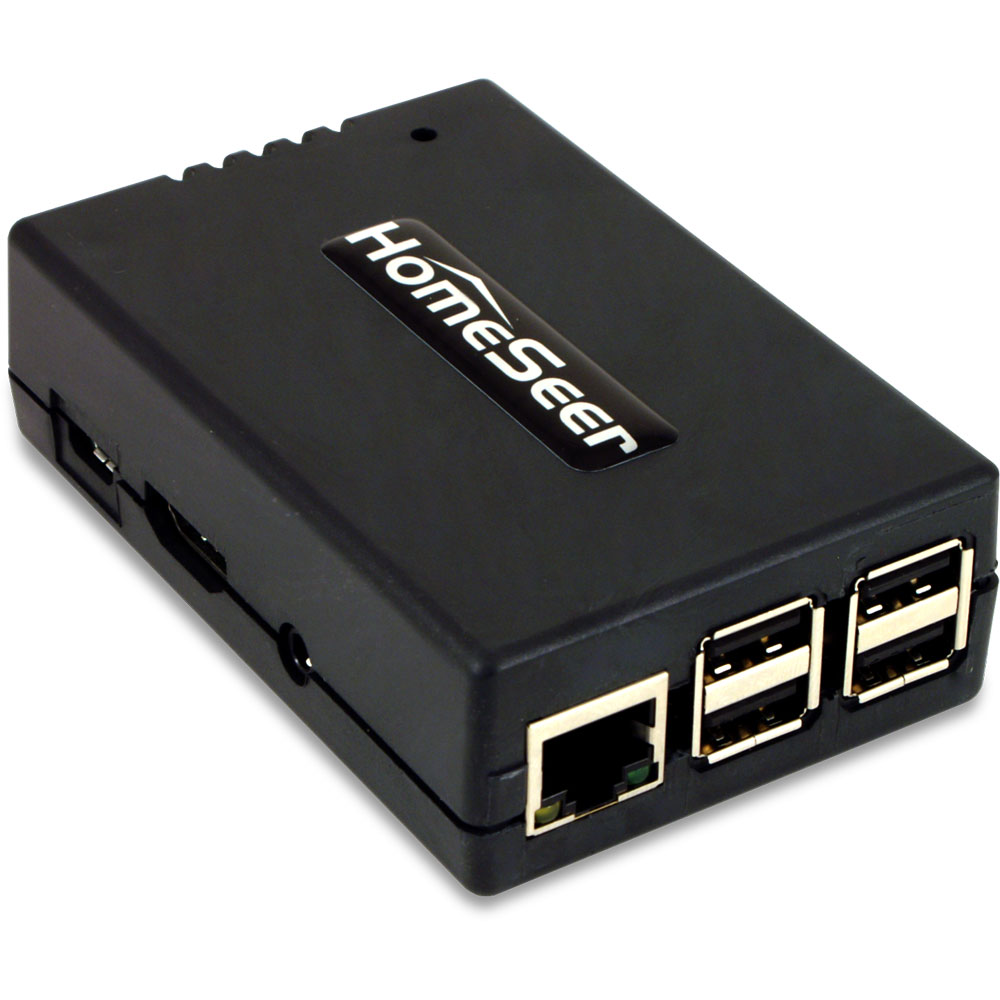
HomeSeer HomeTroller Pi and HS4

HomeSeer HomeTroller Pi2021 Home Security/Home Automation Re-Design [ Part 2 of 3 ]

As I posted a few weeks ago, back in January I decided to cancel my ADT Pulse service and replace it with a Ring Alarm security system. It wasn’t a 100% feature-complete replacement though, I still needed something to handle the home automation side of things. While Ring does have some basic integrations with its lights and cameras, I decided that splitting the security and automation systems apart was the smarter and more flexible approach.

After researching (via online reviews and the community forums) solutions like SmartThings, Hubitat, HomeSeer, Alexa (which turned out to be Zigbee-only), and even briefly considering revisiting Home Assistant, I went ahead and pulled the trigger on a HomeSeer HomeTroller Pi hub. I waffled a lot between the Hubitat and HomeSeer, but decided to start with HomeSeer since it seemed to have more broad compatibility with my existing devices (specifically my garage door opener, door locks and light switches).

Read more

OctoPrint and the OctoPi

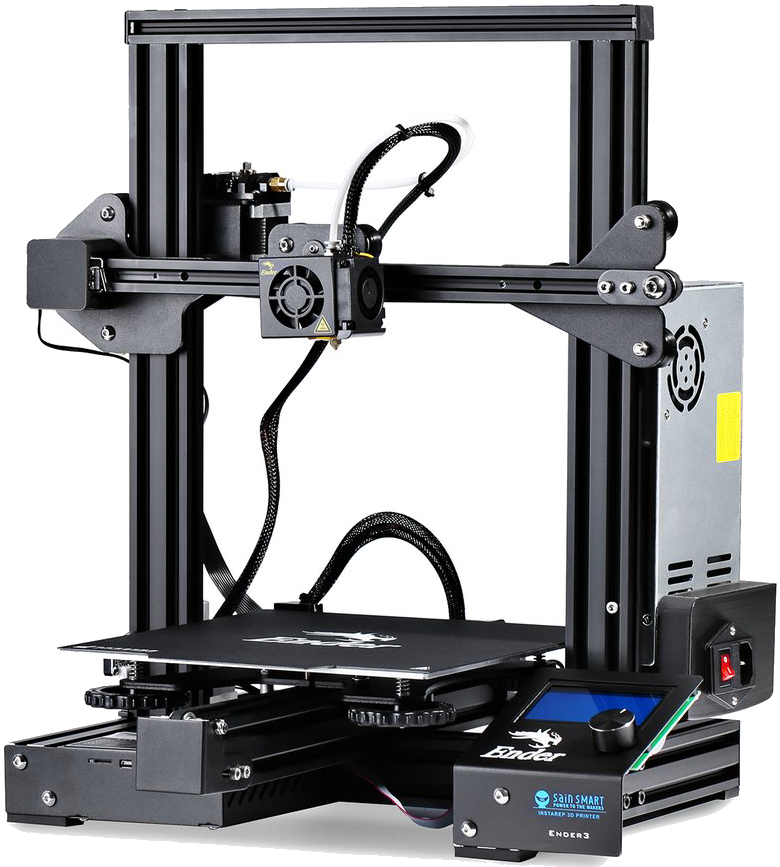
Now that I’m semi-comfortable with the 3D printing process for my Ender 3 Pro (download/create model, slice STL in Cura, save GCode to micro SD card, put micro SD card in printer, print model), I wanted to eliminate the “sneakernet” step of manually shuffling the SD card between my PC and the printer and enable some more monitoring options (eliminating another sneakernet connection: walking back into the office every now and then to check on the printer!).

Enter OctoPrint: “the snappy web interface for your 3D printer that allows you to control and monitor all aspects of your printer and print jobs, right from within any browser on your network. It runs basically everywhere, from a Raspberry Pi to your gaming rig, can be easily extended thanks to a powerful plugin system, and is Free and Open Source Software.” Specifically, I’m using the Raspberry Pi-enabled version, OctoPi.

Read more

Creality Ender 3 Pro 3D printer

Ender 3 ProI have a new hobby!

For Christmas, my wife and daughter surprised me with a 3D printer, the (SainSmart-branded) Creality Ender-3 Pro. It was a well-timed gift since we were stuck at home for the holidays and winter break so I had a whole week to immerse myself in a brand new area of tech, learning about new acronyms (FDM, PTFE, PLA, TPU), terminology, filaments, web sites, and, of course, printing stuff!

Where to start?

Read more

Advent of Code 2020

For the past few years I’ve “watched” some fellow sysadmins (from the psadmin.io community I’m a member of) participate in the Advent of Code: “an Advent calendar of small programming puzzles for a variety of skill sets and skill levels that can be solved in any programming language you like.” I’ve never really had the time to participate before, and I’m certainly not a hard-core programmer, but I like to code and enjoy solving puzzles so I figured this year I would give it a shot.

I’m already a little behind (it’s Day 5 and I’ve only finished Day and Day 2) since, you know, I have to work during the week, but I hope to make a little more progress this weekend. I’m sure I’ll hit a wall at some point where the complexity of the puzzles are no match for my meager skills. I’ve started with Python just because it was the easiest language I had access to on my Linux box, I’ve messed around with it before on some of my other projects (like the old TiVoToGo plug-in for Plex), and I figured this is another good way to get experience with it.

My code solutions (such as they are) are out in my Github repo.