It’s late October which means (I’ve been working from home for seven months! and) it’s time for the latest Ubuntu release, 20.10 (Groovy Gorilla).
But first, another fall sports re-cap. What a 2020 it’s been for my teams! First the Lightning win the Stanley Cup for the second time in franchise history, and now the Rays are in their second World Series, down 2 games to 1 against the LA Dodgers. The Bucs, with Tom Brady at the helm, are on top of the NFC South with a 4-2 record. Could a trip to the Super Bowl (here in Tampa, probably in March?) be in the cards to complete the trifecta? I don’t follow soccer, but even the Rowdies are one win away from the USL Championship! What’s up with Florida sports right now? The Indians exited the playoffs quickly, swept out by the Yankees, but even the Browns currently have a winning record at 4-2 (their best start since Bill Belichick was head coach)!
COVID-19 is still with us (I naively said the world would be back to normal by the time this Ubuntu release was out) so maybe I need to include that in my bi-annual updates.
Time for the spring sports update! Oh, wait … there aren’t any spring sports (or any sports) right now! 🙁 I’m glad I at least got out to Arizona to see some spring training baseball before everything shut down due to COVID-19. And there’s always the NFL Draft tonight which ought to be interesting with everyone staying safe-at-home.
At least, despite all the other craziness going on in the world right now, we can still depend on April having a new Ubuntu release: 20.04 LTS Focal Fossa was released today!
The do-release-upgrade was going smoothly until, after I selected “d” to perform a diff on an affected configuration file, the screen process terminated, leaving the dpkg upgrade process orphaned! I had to kill the dpkg process and then issue a dpkg --configure -a to finish it. After re-applying my changes to the necessary configuration files and rebooting, I only had two minor post-upgrade issues, thanks to the new version of PHP, so:
I had to disable the php7.3 plugin for Apache and enable php7.4
I had to install the php-xml package for php7.4
Other than those hiccups, everything else went fine.
Oddly, I can’t find what the code name for 20.10 in October will be. I guess like the US economy, that’s on hold for now too. 😮 Hopefully by then the world is back to normal. I probably won’t be talking about playoff baseball, but I’ll take what I can get!
Like a lot of other people in the world right now, I just finished my first week of working from home due to COVID-19. I’m a little luckier than most in that I’ve already had a lot of experience working from home, and my job as a systems administrator lends itself to working remotely easily. I also already had a home office area and relatively robust home network. Still, working from home every now and then is a lot different than doing it for (at least) three weeks straight during this time of “social distancing” and “sheltering in place.” I’m not supposed to return to the office until April 6, so what technology am I using to stay connected and keep doing my job?
I’ve been an avid TiVo user ever since I got my first Series2 DVR back in 2003. I’ve owned almost every model and it’s been a staple in my household for the past 17 years. Recently, however, while analyzing our monthly bills, I realized just how much cable TV from Spectrum was costing us. That got me to thinking about TiVo over the past few years:
Plus, when I purchased my last TiVo (the Bolt back in 2016), I didn’t get Lifetime service so I’ve been paying $149/year for it. When I added that into my calculations I figured I could save almost $700/year by dumping cable TV and TiVo and switching to a streaming service.
It’s late October which means it’s time for the latest Ubuntu release, 19.10Eoan Ermine.
But first, my traditional summer/fall sports re-cap. It was down to the end of the season for the Indians and Rays but Tampa Bay made it to the wildcard playoff game and then lost to the Oakland A’s. The Super Bowl-bound Browns are sitting at 2-5, in third place in the AFC North ahead of the 0-8 Bengals (been there!). The NBA and NHL seasons are barely three weeks old but the Cavaliers (in year two since Lebron’s departure) are 1-2 and the Lightning are off to a slow start at 5-4.
For the past few years I’ve been using my Trackr devices, like the Bravo and Pixel, to keep tabs of my keys, my wife’s keys, and my daughter’s keys and purse. Well, I should say I’ve been attempting to use them to track my keys. Lately it seemed like every time I actually tried to actually use the Trackrs, the battery was dead (and hadn’t alerted me) or had lost its pairing for some reason. And when/if they did work, I couldn’t hear the tiny little speaker.
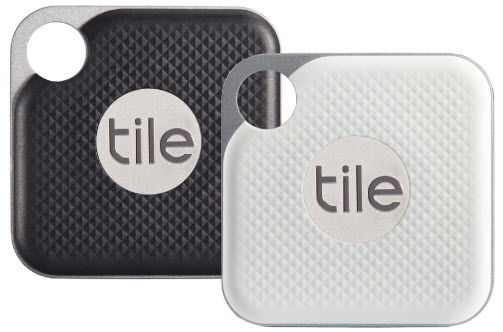
Late last year, Trackr re-branded itself as Adero and is now producing “smart tags” so I decided to try Tile instead.
Time for the spring sports update! After a record-setting season (winning 62 games and the President’s Trophy for the first time in franchise history), the Lightning imploded and got swept out of the first round of the Stanley Cup Playoffs in embarrassing fashion by the Columbus Blue Jackets. Ugh. No Cavs (or even Lebron!) in the NBA playoffs this year, so I’m not watching any basketball. That leaves just baseball: at 14-5, the Rays have the best record in baseball three weeks into the season while the Indians were off to a slow start but are still above .500 at 11-7.
What else? Oh right, it’s mid-April which means it’s time for the latest Ubuntu release, 19.04Disco Dingo.
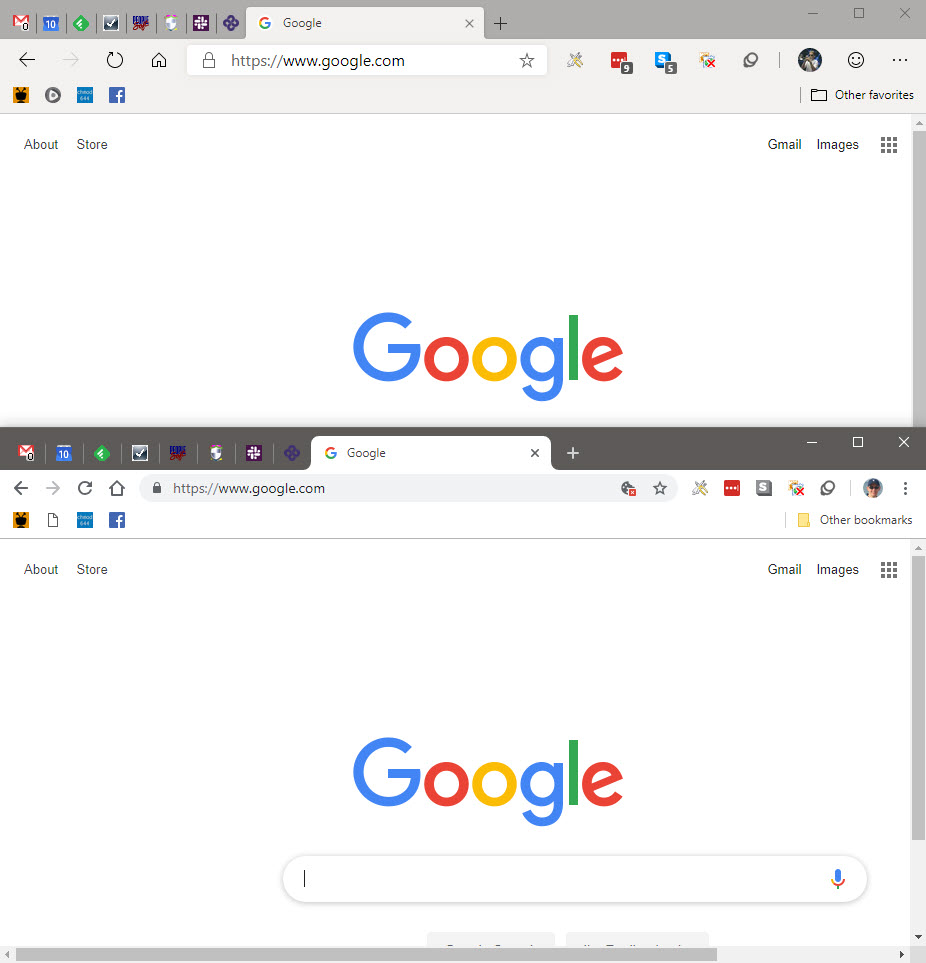
This week Microsoft released the first preview build of their Chromium-based Edge browser as part of the Edge Insider Program. Can you see a difference between Edge and Chrome?
Edge (top) and Chrome (bottom)
Visually similar, you can currently tell, based on the iconography, that the new Edge is on top and current Chrome is on the bottom. I can say this is the best Edge browser I’ve every used … because right now it’s basically Chrome. I was able to install all of my extensions from the Chrome Store, import all my bookmarks, settings, etc. and have it work exactly like Chrome. The only difference is I logged in with my Microsoft account instead of my Google account.
I had sort of an anti-New Year’s resolution this year: drink more alcohol!
Well, not exactly. What I resolved to do was to learn how to make cocktails at home. Until now, my homemade adult beverages consisted mainly of Seven & Sevens or the occasional Moscow Mule. But sampling a wide range of other cocktails on our cruise last year, plus tasting my brother-in-law’s homemade limoncello over Christmas encouraged me to learn a little mixology myself.
After stocking my home bar with the basics (vodka, gin, tequila, rum, whiskey, etc. etc.) and mixers (simple syrup, lemon/lime juice, etc. etc.), I needed recipes. There’s no shortage of web sites on the internet (like liquor.com) for cocktail recipes, but I also wanted a good mobile app for my iPhone. After trying a few, I found Mixel.
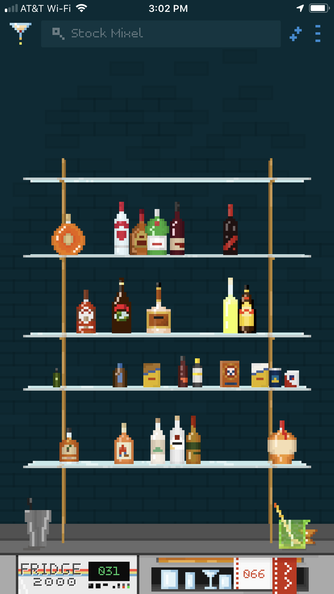
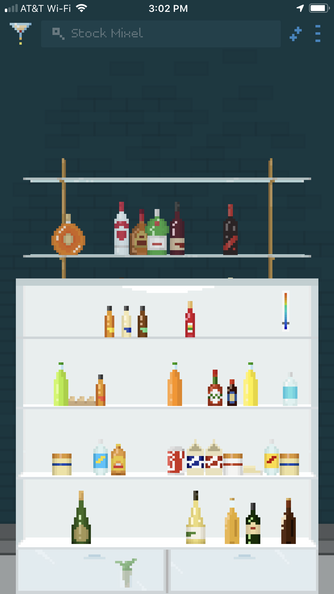
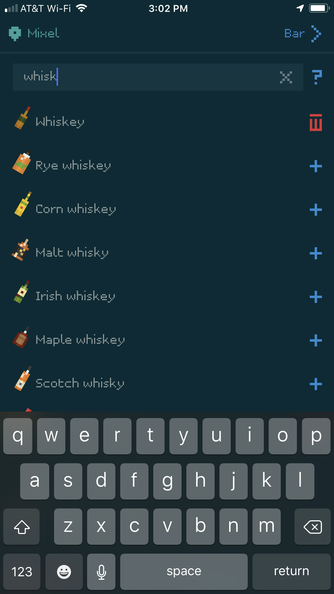
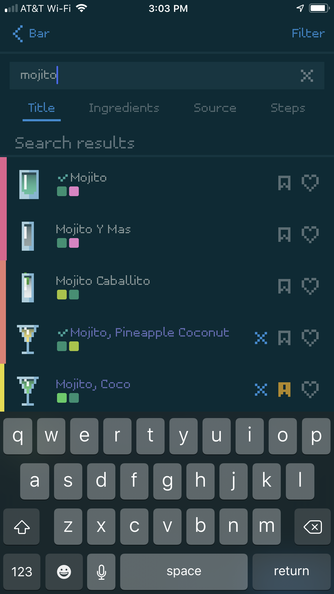
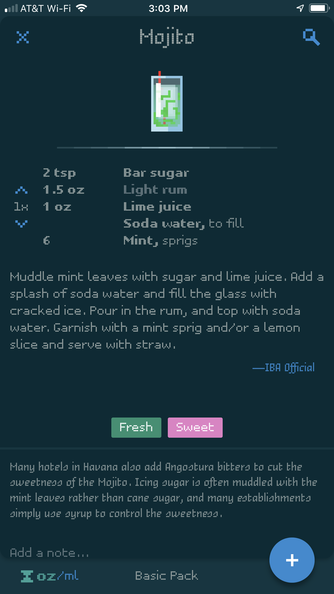
Mixel doesn’t just tell you how to make cocktails. If you stock your bar and fridge with the ingredients you have on-hand, it will tell you what you can make as well. You can search recipes by name (“whiskey sour”) or ingredient (“grenadine”) and filter the results by ingredients you have on hand, different packs, drinks you’ve tried or bookmarked, etc. The app has about 500 built-in ingredients and you can easily add your own. It’s a lot of tapping, but you can add the ingredients, measurements, steps, notes, even customize the icon (glass type, liquid color, garnishes, etc.). You can also add and organize your own recipes into packs and even add multiple bars (I guess if you have one at home and one at the summer house?). If you don’t have an ingredient, you can add it to your shopping list (although that’s a list internal to the app and doesn’t integrate with any grocery shopping apps).
As you might have guessed, it’s called Mixel because of the pixel art graphics which take me back to my King’s Quest days. You can change the color scheme and turn off the pixel font if you want, but I really like the look of the app (I’m using a dark theme, as you can see in the screenshots below).
Mixel is a free, with in-app purchases (for more recipes than the basic 80 included in the free version). After using it for just a day or so I decided to go all-in with the Premium pack.
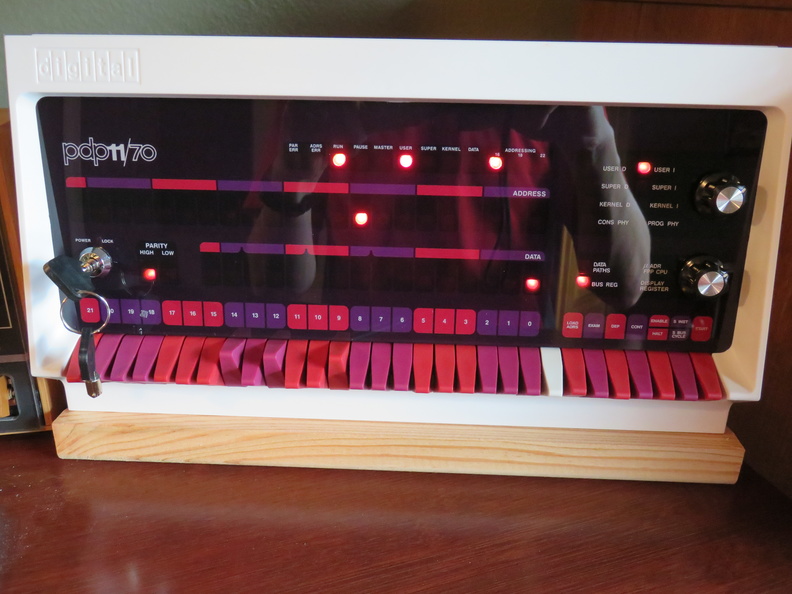
Three and a half years ago I built my PiDP-8 kit and it’s been happily blinking away on my desk ever since (it also runs my Pi-Hole). Earlier this year, on episode #698 of Steve Gibson’s Security Now! podcast, Steve mentioned that Oscar Vermeulen had come out with a new kit, the PiDP-11! I loved the experience of building the PiDP-8 and the quality of the final product so I immediately signed up on the mailing list to be in Oscar’s next batch of orders.
A week later I received (and submitted) my order form. While I was waiting for the kit to arrive, I picked up a Raspberry Pi 3 B+ kit and 32gb SD card. Following the instructions in Step #1, I prepped the SD card with Raspbian (Jessie Lite) and downloaded and installed the PiDP-11 software. Since the RPi 3 B+ is a lot more powerful than the RPi 1 B+ in my PiDP-8, I decided to consolidate and move my Pi-Hole and Retro-Pie installations onto it as well. With the Pi ready to go, I just needed the kit …