It’s been just over a year since my last classic computer build (the PiDP-10) so it’s time to assemble Oscar Vermeulen’s latest project, the PiDP-1! I actually ordered the kit last Thanksgiving and it arrived about a week later (from Panama!) but then life got crazy: I ended up switching jobs which meant I was busy onboarding, getting benefits and such in order, and basically learning the ropes. On top of that, I lost the two weeks of winter break provided by my old employer and started with no PTO at the new place, which meant very little no free time over the holidays (just Christmas Day and New Year’s Day). I did manage to do a little prep work for the kit during that time, however, like purchasing another 4gb Raspberry Pi 5 with a 64gb microSD, imaging it with Debian 13 Trixie, and prepping the PiDP-1 software. Finally over the past two weeks I found some time to pull out my trusty soldering iron and get to assembling …
raspi
Escaping the Pi-Hole for NextDNS
I’ve been running a Pi-Hole ad blocker on my home network (and a remote family network) in one way or another (local install on a RasPi, Docker container on a NAS, etc.) for over 10 years! Of course it only worked when we were at home, so my family had started noticing how cluttered their browsing experience was getting when they were out and about (and would usually complain to me). Then a recent Cox equipment change on the remote family network broke Pi-Hole’s functionality completely by not allowing changes to the default DNS at the router level. Sure I could have hard-coded the Pi-Hole IP address into to every device on the network, but instead I started investigating cloud-based DNS services and decided to give NextDNS a try.
Upgrading to Debian 13 (Trixie) on the Raspberry Pi
I’m pretty consistent with upgrading my Ubuntu Linux server twice a year, but found that I have not been as good about maintaining my Debian-based Raspberry Pis. I keep them updated, but not upgraded. So my first tech project of 2026 was to get everything current on Debian 13 Trixie.
I started with a mix of the last three releases of Raspberry Pi OS:
- Debian 10 Buster: the PiDP-8 (Pi B+) and PiDP-11 (Pi 3 B+) could no longer be updated at all
- Debian 11 Bullseye: the Pi 4 Bs used for OctoPrint and HomeSeer were last upgraded back in January 2024
- Debian 12 Bookworm: the PiDP-10 (Pi 5) started with a fresh install when I built it back in August 2024
From what I had read, doing a clean install of Trixie (rather than a dist-upgrade) was the recommended path, so I made final full microSD card backups of each RasPi (with dd) then re-imaged each one with the current Lite build of RasPi OS using the Raspberry Pi Imager. Then, after booting up the new OS, I had to re-install, re-configure, and re-apply my software and customizations. This wasn’t a big effort for the “blinkenlights” RasPis, but Octoprint and Homeseer took some additional effort (see below). Finally, I did one more clean install of Trixie on a new Pi 5 that will be used for my PiDP-1 (once I find the time to build it!).
OctoPi
I used a nightly build image of OctoPi based on 64-bit Trixie and immediately had issues trying to SSH into the Pi. I had to hook up a monitor and keyboard so I could log in locally and then remove the IPQoS 0x00 line from /etc/ssh/sshd_config. Then I had to fix the syntax in /etc/haproxy/haproxy.cfg so that the reverse proxy would work for OctoPrint (I found both of these solutions in this post on the Octoprint forums).
Once I had Octoprint running I was able to restore my backup via the GUI, which also re-installed my plugins except for Octolapse. It seems like there’s an issue running this on versions of Python greater than 3.11 because distutils.msvccompiler was deprecated in 3.12 (and the Trixie image is using 3.13). I’ve posted on the issue in Github and hopefully there’ll be some sort of fix or workaround.
I also had a problem with my camera (an Arducam 5MP OV5647) not working. After a lot of research and experimentation I finally got it working by setting the resolution back to 1024 x 768 (instead of its native 2592 x 1944) via the camera_usb_options entry in /boot/firmware/octopi.txt. I’m not sure why the original resolution wouldn’t work (change in libraries?), but at least for now the camera shows video (although without Octolapse, it’s only good for a live view).
HomeSeer
For HS4, I didn’t just want to unzip my backup and hope it worked, so first I used zwolfpack’s Linux installer package (which installs HS, mono, and all the other necessary pre-requisites) to install a clean 4.2.22.86 beta release. I also took the opportunity to move the install from /usr/local/Homeseer to /opt/Homeseer). Then I unzipped my latest backup (from BLBackup) over that fresh install to re-install my plug-ins, devices, settings, events, and all the rest … and it worked (even the Z-Wave controller).
Then I had to re-install Homebridge (also under /opt) which got me a clean install with the latest v24 of node. After re-appling my fix for Z-Wave Plus and my garage door opener, I restored my backup from before the re-image and again, everything came back as expected.
So yeah, that’s six Raspberry Pis runing on Trixie now! Quite the project … and that should tide me over for a while until Forky is released in a few years. 😉
Building the PiDP-10
 First post of 2025, time for a new build! The PiDP-10 kit is the latest classic computing offering from Oscar Vermeulen at Obsolescence Guaranteed and the follow-up to his PiDP-8 and PiDP11 kits. I purchased and received the kit back in August last year, but then with the Florida hurricanes, getting super busy at work in the fall, and then the holidays and year-end, I finally just found some free time this past weekend to actually build it!
Upgrading some Ender 3 Pro hardware
For Part 3 of my latest round of upgrades to kick off 2024, I also made some hardware changes to my Ender 3 Pro 3D printer for the first time since getting it back in 2021:
- installed a new mainboard
- installed the CR Touch automatic bed levelling sensor
- installed a new metal extruder assembly
- replaced the bowden tube, nozzle, and bed springs
- upgraded the firmware to the latest build of Marlin (next post!)
Yeah, just a few things. 🙂 I completed these changes around the same time as the upgrades to my HomeTroller and Debian Bullseye, but wanted to wait a bit before posting so I had more time to play around with the results and I’m pretty pleased!
Upgrading to Bullseye on the Raspberry Pi 4
My two Raspberry Pi 4 Bs (in my HomeTroller Pi and OctoPi) were both running Debian 10 (Buster). I like to be current (as evidenced by my bi-annual Ubuntu upgrades) and realized I’d been lax on the RasPis, both of which were two releases behind. Debian 12 (Bookworm) seemed a little too new, so based on some research on the HomeSeer and OctoPrint forums, I decided to just upgrade them both to Debian 11 (Bullseye).
Upgrading the HomeSeer/HomeTroller hardware
My 1st gen HomeSeer HomeTroller Pi was built on a Raspberry Pi 3 B with 1gb of RAM. While this was fine back when I bought it and was just starting my home security and automation re-design and foray into using HS4, recently I’d been having issues with performance and out-of-memory conditions. In 2021 when I bought the HomeTroller, the HS4 software was only permitted to run 5 plug-ins but that limitation was removed in later releases and I upgraded the microSD card to allow for unlimited plug-ins. Unfortunately, 1gb of RAM is not “unlimited” so now that I’m running more plug-ins (10 at last count) I suspected that the cause of the crashes was due to lack of free RAM. Thus, I decided to try and upgrade the Raspberry Pi in the HomeTroller to a beefier model.
Node-Red (with Ring and HomeSeer)
“Even with my tendency to tinker, adding yet another system on top of Homebridge seemed like too much to me.” – me, two months ago
Yeah, I said that back in late May (in reference to Scrypted) after getting Homebridge set up and integrated with my HomeSeer home automation system. But here I am, two months later writing about another integration to my system. This time, it’s Node-Red.
NR is “a flow-based programming tool for wiring together hardware devices, APIs and online services in new and interesting ways.” I had read about it on the HomeSeer forums (back when I was re-organizing my home automation setup and switched to Ring from ADT Pulse), and made some notes to look into it later as it seemed like a lot of people were using it to extend and integrate their automations with other systems. Last weekend I had some free time and decided to poke around and tinker with it.
Homebridge (and HomeSeer)
A few weeks ago while browsing the Homeseer forums (which have been inundated with Insteon users lately, after the sudden shutdown of the service), I came across a thread about integrating Homeseer with Apple’s HomeKit using Homebridge. Everything in my home automation setup has been working fine, but I’m always looking for new ways to tinker and expand. I use HSBuddy on my iPhone to control my HS devices, but I thought it would be cool if I could use Apple’s Home app instead, which would also make it easier for my wife to use.
HomeSeer HomeTroller Pi and HS4
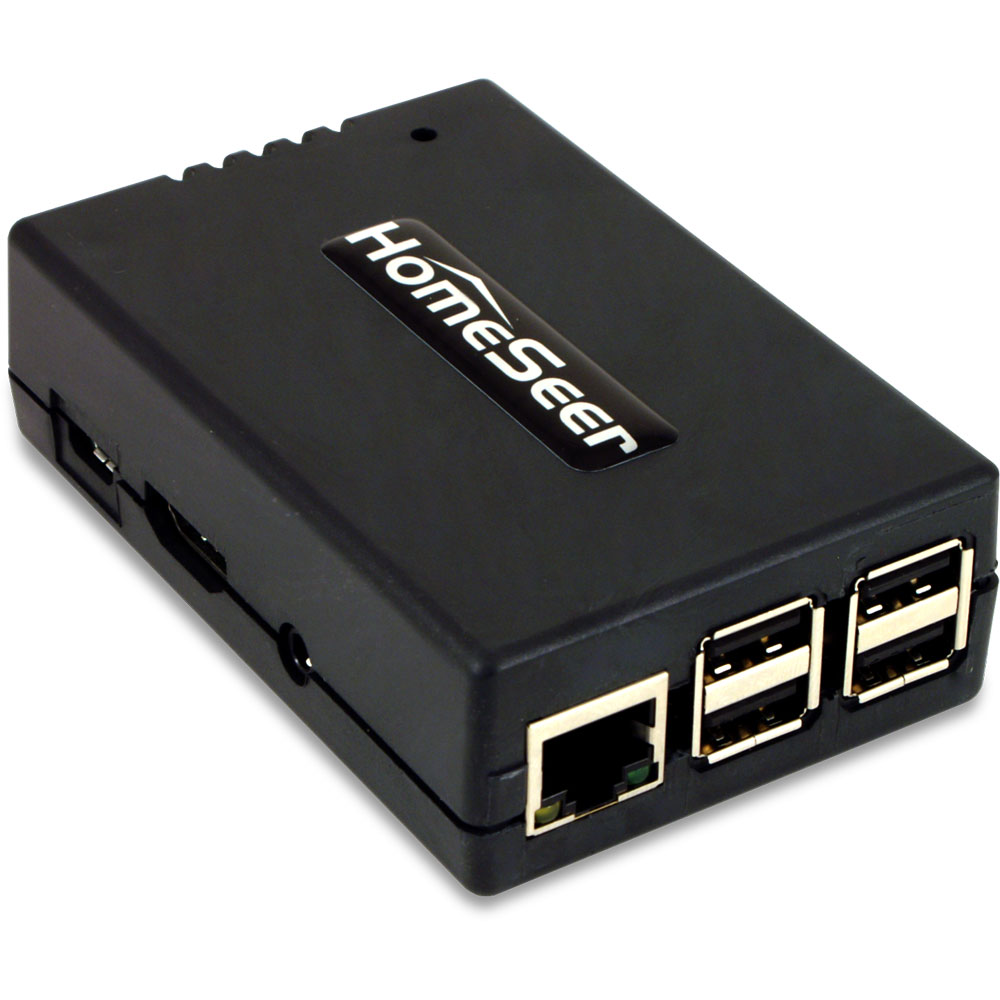 2021 Home Security/Home Automation Re-Design [ Part 2 of 3 ]
As I posted a few weeks ago, back in January I decided to cancel my ADT Pulse service and replace it with a Ring Alarm security system. It wasn’t a 100% feature-complete replacement though, I still needed something to handle the home automation side of things. While Ring does have some basic integrations with its lights and cameras, I decided that splitting the security and automation systems apart was the smarter and more flexible approach.
After researching (via online reviews and the community forums) solutions like SmartThings, Hubitat, HomeSeer, Alexa (which turned out to be Zigbee-only), and even briefly considering revisiting Home Assistant, I went ahead and pulled the trigger on a HomeSeer HomeTroller Pi hub. I waffled a lot between the Hubitat and HomeSeer, but decided to start with HomeSeer since it seemed to have more broad compatibility with my existing devices (specifically my garage door opener, door locks and light switches).