LEGO Mindstorms NXT 2.0

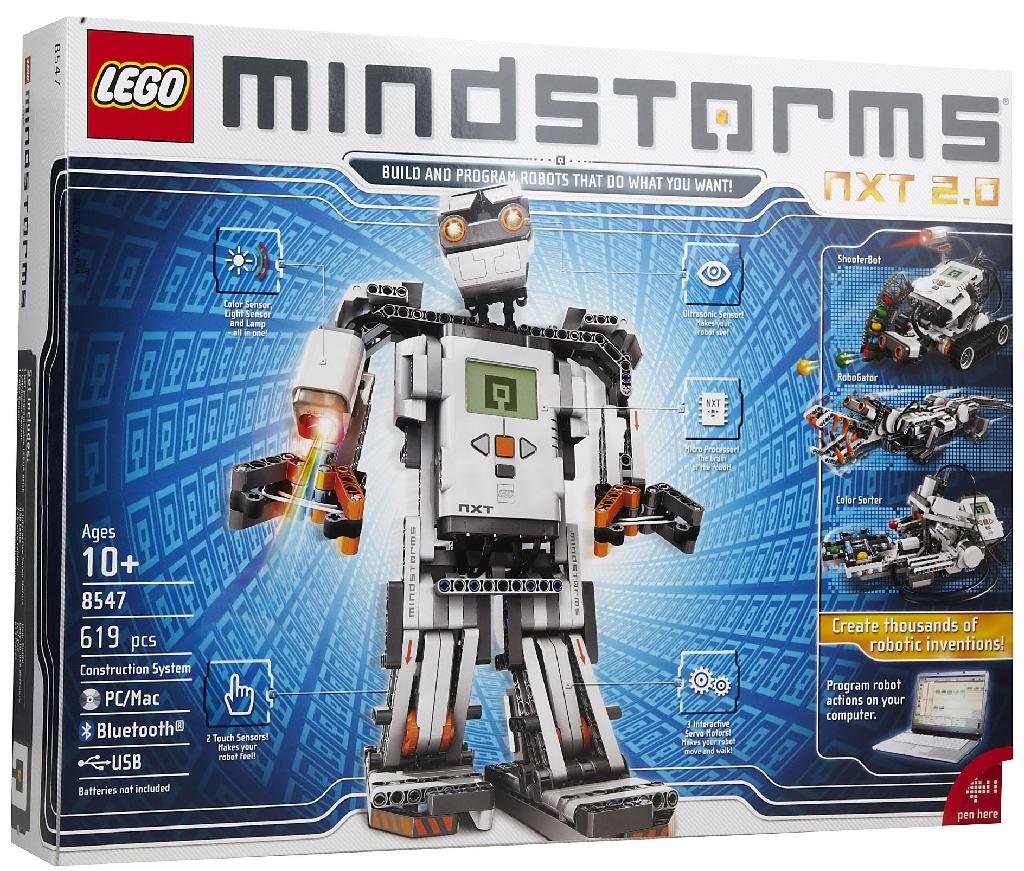
LEGO Mindstorms NXT 2.0For Christmas, Santa brought my daughter and I the LEGO Mindstorms NXT 2.0 buildable/programmable robotics kit. Sweet! Of course as luck would have it, LEGO just announced the next generation of the Mindstorms line at CES this week, but that won’t damper our enthusiasm for building robots and programming them to do our will! 😀

My daughter has prior experience with the Mindstorms kit, having gone to a robotics camp over the summer, so while I was figuring out how to put together the quick start robot, she was already installing the software on her laptop and working on her first program (too bad the software won’t run on her Surface).

After writing the obligatory Hello World program, I fleshed it out a bit as I got familiar with the development environment and soon had our robot displaying animated graphics on the LCD screen, playing sounds, and moving around. Very cool!
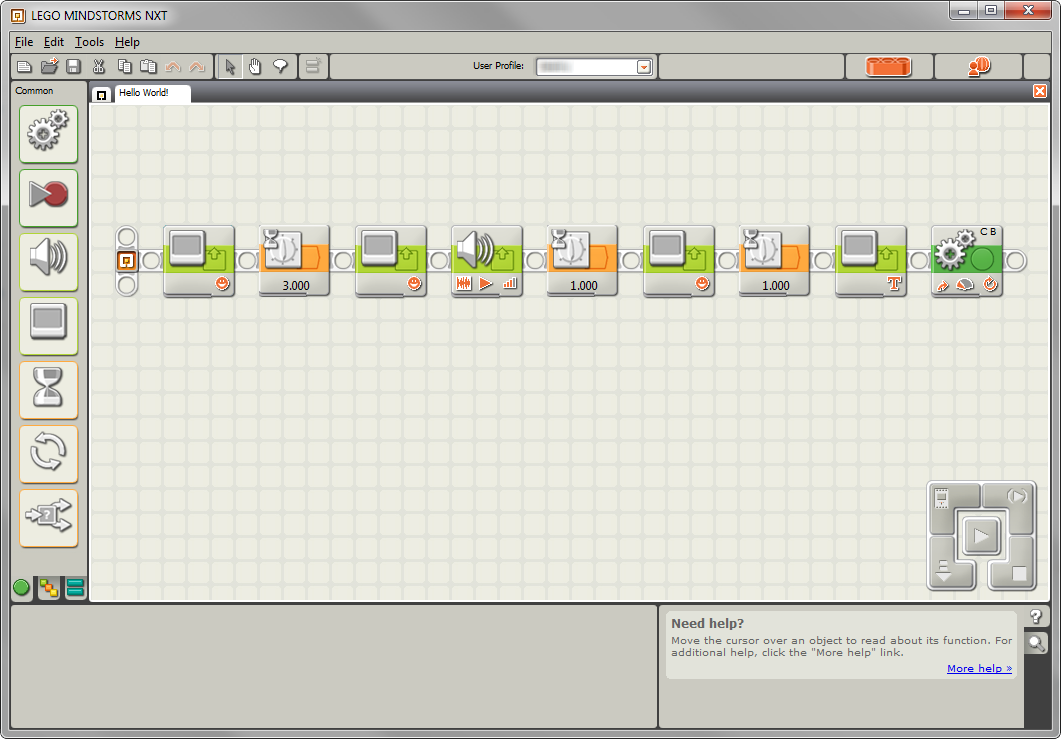
my Hello World program for the Mindstorms robot

We’re both looking forward to seeing what we can do with the NXT and its sensors. The new EV3 kits will support iOS and Android out of the box, something the NXT doesn’t. I was able to install LegoDrive on my jailbroken iPhone 4S, however, and drive my quick start robot around by tilting my phone (the dogs were not amused). Maybe I’ll even get my Raspberry Pi involved in our tinkering somehow.

I, for one, welcome our new LEGO robot overlords.
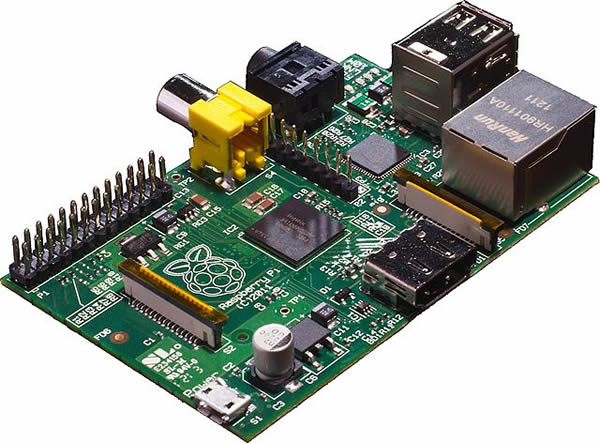
A holiday slice of Raspberry Pi

The Raspberry Pi is a credit card-sized ARM-based Linux computer that costs just $25. It’s intended to be used as an educational device and instantly appealed to my inner tinkerer (and gadget freak).

I ordered the Model B (256mb RAM, 2 USB ports, HDMI/composite video/audio jacks, and Ethernet) from Allied Electronics back in late September but ended up getting the newer revision with 512mb instead (nice!) by the time it arrived the first week of December. Considering my first Linux server was an old 486 with 16mb of RAM, the Model B’s 700MHz ARM1176JZFS CPU in a Broadcom SoC (system on a chip) is a powerhouse! Per the FAQ: “The graphics capabilities are roughly equivalent to Xbox 1 level of performance. Overall real world performance is something like a 300MHz Pentium 2, only with much, much swankier graphics.”

Read more

Going “all in” with Google

Two weeks ago I came across this post on The Verge that talked about using CardDAV and CalDAV to sync Google information to iOS devices which, along with the new GMail app promised better synchronization and better battery life and a break from the current ActiveSync/Exchange method I had been using. I’ve been using multiple Google Calendars for personal and family items but my personal contacts were all in my Outlook account at work. I decided it was probably a good idea to clean all of that out and move it elsewhere.

Read more

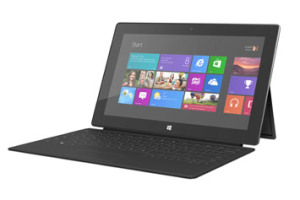
Microsoft Surface RT tablet

Surface RT tablet

Last month I picked up a 32gb Microsoft Surface RT tablet as a combined birthday/Christmas present for my daughter. In a bit of pre-planning I upgraded her laptop to Windows 8 so she had time to get familiar with the new OS before she finally got the tablet last week. So far, it’s been a hit, despite some of the setbacks of WinRT, but I’ll get into those later.

Read more

Switching from Jungle Disk to SpiderOak

Back in October 2007 I started using Jungle Disk and Amazon S3 (Simple Storage Service) for my online backups. At the time, it was one of the cheapest and more reliable ways of backing up my important documents across multiple platforms (Windows and Linux) to the cloud. Even after Rackspace acquired Jungle Disk in 2008, I continued to use (and be very satisfied with) the service as I was grandfathered into the one-time $20 payment for lifetime use of the client along with the $1/month Plus service for web access and uploading changes only (instead of the entire file, to save time).  In 2010, Jungle Disk released an iOS app that let me access my stored files on my iPhone. But after all of that, support seemed to drop off and the last software update (v3.16) was back in May 2011. Still, everything was working fine and I wasn’t really considering switching, until I heard Steve Gibson echo a similar sentiment about the fall of Jungle Disk on episode #373 of his Security Now! podcast.

I decided to start looking into possible replacements for Jungle Disk, so I went back through episode #349 of Security Now! when Leo and Steve discussed some other available cloud storage solutions and really liked SpiderOak due to its “no knowledge” security policy, which fit with Steve’s mantra of “trust no one” (TNO).

Read more

Quest for the Quantal Quetzal

My server upgrade from Ubuntu 12.04 (Precise Pangolin) to the newly released 12.10 (Quantal Quetzal) tonight was one of the smoothest for me in recent memory. The only problem I had this time around was an issue with ZoneMinder due to some “non-standard” symlinks I was using. Once I corrected those, the package upgraded without incident. The only other minor problem was due to the use of smbfs for my NAS mounts. I just had to switch the type to cifs in /etc/fstab and re-mount the shares. Now I’m set until Raring Ringtail next year.

Windows 8 RTM … accepting the inevitable


A few weeks ago we got the Windows 8 RTM at work and started installing and upgrading the operating system on our IT machines to get a jump on learning our way around Microsoft’s latest OS before rolling it out to the rest of the office.

I’ve been using the Consumer Preview of Windows 8 on my main machine at work since it was released back in March and while the final RTM version is faster and slightly more polished, not much has changed since the CP, including the fact that I’m still not enamored with Microsoft’s latest desktop offering.

Read more

Using the TiVo iOS app over a VPN

TiVo’s mobile app for iOS is great when you’re sitting on the couch watching TV, but it has limited functionality when you’re out and away from your home WiFi network. The remote control and Info features aren’t available in Away Mode which up until now hasn’t been a big deal (why would you want to change the channel on your TV if you’re not at home?). With the recent release of the TiVo Stream and v2.0 of the app, however, there has been renewed interest in accessing the full functionality of the app while away from home … primarily for streaming Live TV and recorded content when not on your home network.

The obvious technical solution to a problem like this is a VPN connection to your home network. But in the case of TiVo it’s unfortunately not that straightforward. It wasn’t easy, but I got it working (sorta, more on that later). So if you don’t mind tinkering with your router, tweaking network settings, and jailbreaking your iOS device, grab a cup of your favorite beverage, roll up your sleeves, and read on …

Read more

Virtual Console and WiiWare games through a USB loader

[ I apologize for using the term “rabbit hole” three posts in a row! -windracer ]

Apparently I have a thing for doing homebrew stuff in April: almost exactly two years after softmodding my Wii so I could load my games from a USB hard drive instead of discs, I found myself wondering if I could do the same for Virtual Console and WiiWare content. Well, of course you can! The path can be confusing and frustrating, but the destination … well, it’s a cool destination.

Read more

Parsing the Precise Pangolin

This week the latest LTS version of Ubuntu, 12.04 Precise Pangolin, was released. I waited a little bit for the initial download rush to die down (ok, only one day this time) and then took the plunge and upgraded.

As with my prior upgrades, the ‘do release-upgrade’ process itself was painless but I had a few post-installation issues:

  • calibre wouldn’t start with a “ImportError: cannot import name detect_xml_encoding” error. Deleting /usr/lib/calibre/calibre/ebooks/chardet fixed this.
  • zoneminder was completely messed up and wouldn’t run. After going down a seemingly unending (and increasingly frustrating) rabbit hole of package dependencies and missing libraries, I gave up trying to re-build it from source and just installed the package via ‘apt-get install zoneminder’. Even after that I had to clean up some of the mess left over by my previous from-source install, but I finally got it working again.

Coming this October: Quantal Quetzal!