Home automation and security re-design

Ok, enough sports posts, let’s get back to some tech!

I’ve been distracted from tinkering with my 3D printer lately because for the past two weeks or so I’ve been going through a re-design of my home automation and security setups. After an almost two-week outage of the ADT skill for Alexa (during which I wasted a lot of time on the phone with clueless tech support people who kept trying to walk me through the re-linking process despite the fact it kept failing), plus more false alerts from some of my window sensors and the realization that I was paying ADT a lot of money each month for these hassles, I decided to dump them and move on to something else.

Since ADT was both my security system and home automation hub (through Pulse), this decision necessitated some research and careful planning on how to replace ADT and still be able to use all of the Z-Wave hardware I’ve acquired since 2011 and replicate all of my automations, schedules, alerts, etc. The end result was a combination of Ring Security, HomeSeer, and Amazon Alexa.

I’ve got a lot of cool stuff to write about, so watch this space for three separate posts coming soon about my new setups and experiences with both systems.

Going all-in with Nest cameras

I seem to go through technology re-orgs every four years or so. To start off 2019 I decided to re-do my security camera setup.

My first cameras were installed in 2010 (Foscam outside, TRENDnet inside). In 2014 I switched my indoor cameras to Dropcams but since Dropcam (now Nest) didn’t have an outdoor solution at the time I went with PoE TRENDnet dome cameras outside. While this solution was perfectly functional and served me well for the past five years, it was a bit of a pain having to use two different apps to view the indoor vs. outdoor cameras. Now that there’s the Nest Outdoor (released in 2016 and then the IQ Outdoor in 2017), and I also have a Nest thermostat and smoke detectors, it was not a tough decision to consolidate and go with more Nest cameras.

Read more

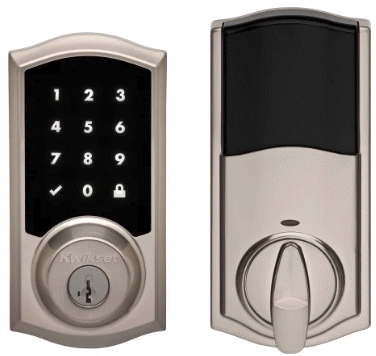
Kwikset SmartCode 916 Touchscreen Electronic Deadbolt

We’re finishing up hurricane-proofing this summer by finally replacing all the exterior entries with impact-rated doors. We had our impact windows installed back in 2008, and replaced the overhead garage door in 2015, but last year’s close call with Hurricane Irma reminded us we still needed to replace the doors. Since we’re getting new doors, we also need to get new door hardware!

There’s a wide variety of electronic and automation-enabled deadbolts and locks on the market now-a-days: I decided to expand my Z-Wave/ADT Pulse automation network by installing the Kwikset 916 Touchscreen Electronic Deadbolt.

Read more

Ubiquiti Unifi Switch 8 POE-150W

Unifi Switch 8About two weeks ago I started experiencing some strange network issues: Nagios kept reporting devices dropping off the network and reconnecting, the TiVo Minis would lose their connection to the Bolt, etc. I eventually traced it to one of my TRENDnet TPE-TG44g switches (specifically the one in the closet that most of the home network traffic travels through on its way to the router) constantly rebooting. It was out of warranty so I had to buy a new switch to replace it. Since I already two Unifi wireless access points on the network (and I run the Unifi Controller software to manage them), I decided to spend a little extra and get the Ubiquiti Unifi Switch 8 POE-150W.

Read more

Ubiquiti EdgeRouter-X

“Infrastructures are essential to everyday life, but they are always the supporting player, never the goal. It is only when there is trouble that the infrastructure is noticed …” -Donald Norman, The Invisible Computer
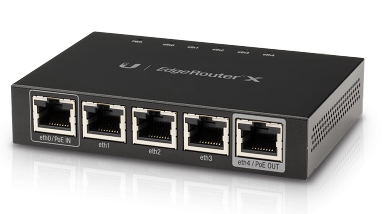
Ubiquiti ER-X

There was nothing wrong with my almost 5-year old Buffalo router, but after hearing Steve Gibson talk about the $50 Ubiquiti EdgeRouter-X on episode #569 of the Security Now! podcast, I knew it was time to replace the Buffalo.

Unlike most consumer/home routers, the ER-X has no built-in wireless. It’s a router, not an access point. This wasn’t a problem for me since I hadn’t been using the Buffalo for wireless since I had put in the Ubiquity UniFi AP two years ago (and now my AP and new router are from the same manufacturer). Also unlike your average consumer router, the ER-X has five logical interfaces behind its five physical ports (eth0 – eth4). This means you can configure the individual ports however you want. Each port can be its own separate subnet, you can group ports into a switch, bridge ports, etc. (I’m using the traditional 1 WAN port (eth0) plus 4 switched ports (eth1 – eth4) setup). The ER-X can be powered with the included AC brick, or via (non-standard, not 802.3af) 24V passive PoE input on eth0 (which can then do PoE passthru to eth4 to power, say, a UniFi AP). For now I’m using the AC adapter and not PoE.

For the past 9 years I’ve run DD-WRT on my home routers but now, with the ER-X, I’m learning Ubiquiti’s EdgeOS. It’s got a pretty slick interface, although not all of the router’s features are available to configure through the GUI (like setting up a PPTP VPN connection), so some command line interface (CLI) interaction is required. SSH’ing into the router and using the shell to set the more advanced options should be familiar to anyone with Linux experience (once you learn a few Ubiquiti-specific configuration commands).

The driving factor behind switching routers was attempting to re-organize my home network with three separate, isolated segments:

I’m still finalizing the configuration, but so far I’ve set up the three wireless SSIDs on the UniFi AP and tagged two of them (guest and IoT) with VLANs. On the ER-X, I created the two VLANs (on the switch), tagged them on eth4 (the port connected to the AP), set up DHCP servers for the three segments on 192.168.1.0, 192.168.5.0, and 192.168.10.0 and confirmed that the wireless devices on a VLAN get an IP address on the corresponding subnet.

I’ve been having some problems with the firewall setup, so I still have some items to get working:

  • allow pings from VLAN1 to VLAN10 (for Nagios monitoring)
    • update: I wasn’t able to get this working so I put the (previously unused) wireless adapter in my server on the VLAN10 network so it had access to ping devices on that network
  • guest devices on VLAN5 can’t find the UniFi controller on VLAN1 so they don’t load the captive guest portal
    • update: I gave up trying to get this to work. I tried all sorts of firewall rules and other suggestions from people on the EdgeMAX forums but just could not get unauthorized guest devices on VLAN5 to see the UniFi controller
  • learn how to write firewall rules for true subnet separation (except for the Nagios requirement above)
    • update: I got these working using this information as a baseline (along with help from EdgeMAX forum members). Basically I wrote two pairs of rules (one IN and one LOCAL for the guest and IoT VLANs) that prevent them from talking to the primary LAN and each other.
  • separate a wired device on eth2 to be part of VLAN10
    • update: after re-doing some setup from scratch, I got this working on eth1 by setting the PVID to 10 for that port in switch0
  • NAT hairpin/loopback for the VLANs
    • update: despite having switch0.5 added as a LAN interface on the Port Forwarding tab, enabling the “Hairpin NAT” checkbox, and suggestions from the EdgeMAX forums members (like DNAT rules) I cannot get devices on the guest VLAN5 to access local services (like access to this blog).

The ER-X is a pretty advanced device for $50 and I’m looking forward to learning more about advanced networking topics as I tweak it. Just so long as my family can deal with the home network going down a lot as I make mistakes. 🙂

Let’s Encrypt! Switching to HTTPS …

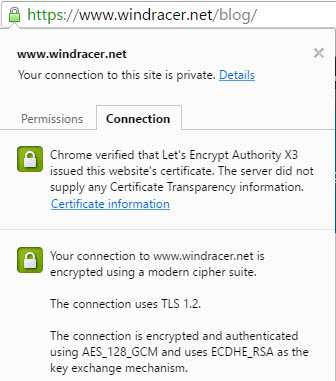
Let's Encrypt SSLYou may notice something different about ‘chmod 644’ today … a green HTTPS padlock in your browser’s address bar. That’s because my domain is now using an SSL certificate from Let’s Encrypt.

The Let’s Encrypt project is a certificate authority (CA) that aims to bring free and open encryption to the web. I first heard about it back in 2014 on episode #483 of Steve Gibson’s Security Now! podcast. The project went into public beta in December 2015 and at the time I played around with generating a certificate but then got busy and never ended up actually using it. Certificates issued by Let’s Encrypt need to be renewed every 90 days so in early March (shortly after the 1 millionth certificate was issued) I received a notification that it was going to expire and, since I still didn’t have the time to properly implement SSL, I just let it.

Finally, the other week, I had some time and decided to give it another go, starting from scratch.

Read more

WIJFR: Rogue Code

Cyber security expert Jeff Aiken knows that no computer system is completely secure. When he’s called to investigate a possible breach at the New York Stock Exchange, he discovers not only that their system has been infiltrated but that someone on the inside knows. Yet for some reason, they have allowed the hackers to steal millions of dollars from accounts without trying to stop the theft. When Jeff uncovers the crime, the NYSE suddenly turns on him. Accused of grand larceny, he must find and expose the criminals behind the theft, not just to prove his innocence but to stop a multibillion-dollar heist that could upend the U.S. economy. Unwilling to heed Jeff’s warnings, the NYSE plans to continue with a major IPO using a new, untested system, one that might be susceptible both to hackers and to ruthless high-frequency traders willing to take any risk to turn a profit.

I just finished “reading” (on Audible) “Rogue Code” (Book 3 in the Jeff Aiken series) by Mark Russinovich.

Read more

Dropcam Pro

Dropcam Pro

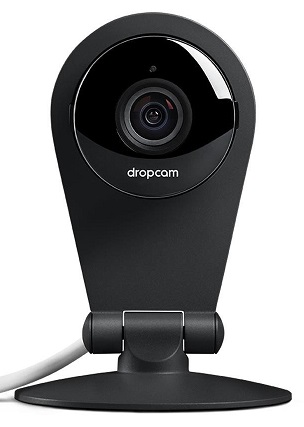
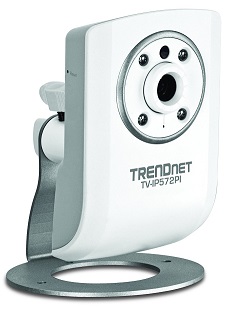
More cameras as my replacement project continues! I’ve been using the TRENDnet TV-IP422W cameras inside for the past few years but really hadn’t been using their pan-tilt-zoom features. Rather than replace them with fixed, high-resolution PoE cameras like the TV-IP572PI and continue to possibly overload my ZoneMinder installation, I decided to give the Dropcam Pro a try.

Read more