Samsung DVD recorder

Samsung DVD-VR357With the new HD TiVo in place, it was also time to consolidate the rest of the home theater in the media closet. This meant it was finally time to retire the 4-head Goldstar VCR my wife had bought back in 1995! But I wasn’t quite ready to drop VHS altogether (we still have a lot of old tapes laying around). Since the S3 had replaced my Toshiba TX20 in the media closet, that meant no more DVD player either. So, based on a good review in Consumer Reports I purchased the Samsung DVD-VR335 DVD/VHS recorder.

This combo unit combines an upscaling (over HDMI) DVD recorder with a 4-head VHS deck. You can copy back and forth between DVD and VHS and it supports just about every DVD format out there (including dual-layer but not including the new HD-DVD and Blu-ray formats, of course). It’ll also play DivX files. I’ve already used it a few times to burn HD shows from the S3 onto DVD. Of course, it’s not HD on the disc (the S3 feeds the Samsung over S-Video and composite audio), but the quality is better than the TX20.

TiVo Series3

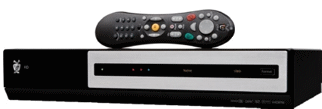
TiVo Series3Ok, it’s time to start selling TiVos. I have four of them in the house now that I “broke down” and bought the new THX-certified Series3 HD DMR.

This thing is sweet … and I know I say that a lot, but this time I mean it! It has two CableCARD slots, HDMI, eSATA (for future use), records HD programming, and is all around the slickest TiVo yet.

I’ve now upgraded to Brighthouse’s digital cable (finally!) and had two CableCARDs installed so I can record HD programming without another set-top box. The two CableCARDs enable dual-tuners so I can record two shows at once (while watching a third (recorded)). The HDMI connection to my Panasonic plasma TV means a true digital picture (not to mention a single cable connection), even though my display is only ED (480p).

What else can I say? I love it.

Linksys WRT54GS wireless router

I guess I never blogged the fact that back in March I had replaced my aging (i.e., over a year old) Netgear router with a cheapie Belkin. Well, after I switched from WEP to WPA encryption, I started having way too many wireless drops and networking issues. So, I replaced the Belkin (sold it on e-Bay) and went back to vendor I bought my very first piece of wireless hardware from back in 2001 … Linksys.

The WRT54GS is your standard wireless router. The “S” is for Linksys’ proprietary Speedboost technology (which I currently don’t use since I don’t have any other Speedboost devices, but might in the future). I was happy with my decision just a few minutes after I got it working: the web-based administration and options are soooo much better than the Belkin, and WPA is breezing along without any drops. I think my throughput even increased. Good times.

Linksys WET54G wireless bridge

Linksys WET54GI recently decided to move up to WPA encryption on my home wireless network. When surveying my current network devices, I discovered that my old Netgear wireless bridge only supported WEP. A quick browse of Netgear’s site confirmed that there were no plans for a firmware upgrade to add WPA support, so I went off in search of a new bridge.

I choose the Linksys WET54G mainly because it was one of the few wireless bridges out there that I could confirm supported WPA. It’s about the size of a small paperback and was easy to set up via its built in web server. Not much else to say … it’s a pretty basic piece of network gear.

Epson AcuLaser CX11NF

Epson CX11NFMy Brother 3820CN multi-function printer fell prey to the dreaded Error 41 that seems to plague Brother machines. Now, in Brother’s defense, they did extend the warranty on my printer from 90 days to 24 months, but that 2 years just ran out in May so I was out of luck.

So I needed to get a new printer/scanner/copier/fax and decided to go laser … and not just regular old laser: color laser! (Ok, technically it was my wife’s idea, but I wasn’t going to argue!)

There’re only a few machines in market that would do everything I wanted to do: color laserjet printing, network built-in (including support for network scanning!), flatbed and ADF, etc. I read bad reviews about Brother’s entry in this segment and personally decided I was done with Brother anyway. My choice: the Epson AcuLaser CX11NF.

This MFC is identical to its cheaper sibling, the CX11N, but adds the fax capability and the ADF. Since it’s a laser printer, its much larger than my old Brother (those 4 toner cartridges have to go somewhere, after all!) but still fits nicely in my home office.

So far I am very impressed the ease-of-setup, printing/scanning speed, and print output of this device. I hope it lasts a little longer than my previous Brother did however (just over two years).

Buffalo Linkstation

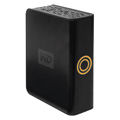
Buffalo H250LANI was browsing the hard drive aisle at Best Buy when I came across the Buffalo LinkStation Storage Center on sale at a price too good to pass up. This network-attached storage device connects to your home network and sets up in a snap through the built-in web interface. Within minutes I had a 250gb network drive available for file sharing.

Internally, the device runs Linux and can create shares compatible with Windows and/or Macintosh machines (using Samba which means no lame desktop client software required!). Now I’ve got shares available to my Windows PCs and my Linux server. Two USB ports allow for attaching a printer or an extra hard drive for added storage capacity (though the drive will be formatted for Linux and thus cannot be detached and connected to a PC after that).

5th gen iPod Video

iPodMy luck continues … I was the winner of a random drawing for a customer satisfaction survey I filled out some months back. My prize: a 30gb 5th generation Apple iPod with Video!

Now, there was nothing really wrong with my trusty Archos Jukebox Studio 20 that has served me well for close to four years, but it’s not as sexy as the iPod. I’ve only had it a couple of days, and am still in the process of learning iTunes and copying my 4000+ tracks to the new device, but it is one sweet little gadget.

The color screen is amazingly crisp and bright (I love the movie theater-style fade in/out of the backlight). The click/scroll wheel is fun to use and the interface and controls are much more intuitive than the Archos (hey, it’s made by Apple after all!).

Sony KLV-S23A10 23″ LCD HDTV

Sony KLV-S23A10I must have been extra good this past year because my wife gave me the Sony KLV-S23A10 23″ LCD HDTV display for Christmas to replace an old 13″ tube. This 1366×768 display has 1 component input (for a DVD or other HD source), 3 composite and S-Video inputs, and HDMI and RGB connections. While it doesn’t have some of the other features I would prefer in an HD display, like dual tuners (NTSC and ATSC/QAM) and picture-in-picture, it is the perfect display for my office (and of course, it’s a WEGA).

Panasonic PV-GS250 miniDV camcorder

PV-GS250While filming the holiday party movie for work, my 7-year old Sony miniDV camcorder‘s CCD finally gave out. In a rush to replace it, I picked up the Samsung SC-D353 on the cheap at Circuit City. Well, you get what you pay for: the camera’s autofocus was horrible, it had a black-and-white internal viewfinder, and poor sound quality … so back it went.

After a little more research (and less rush), I decided to graduate to a 3 CCD camera and chose Panasonic’s PV-GS250. Three sensors means very accurate color reproduction and this camera delivers. It’s chock full of options and connections (S-Video, Firewire, etc.), includes a 3.2 megapixel still camera with a built-in flash (which saves photos onto an SD card), color viewfinder and screen, and is overall a slick looking piece of equipment (very sturdy). Included accessories included a corded microphone which also doubles as a remote control, an actual remote, and the various necessary cables. Hopefully this lasts me another 7 years like my Sony did.

Harmony 676 universal remote

Harmony 676Until now, I’d been sticking with the cheaper universal remote controls. My favorite was the Magnavox PMDVR-8 which did a great job of controlling all of my home theater devices, including my TiVos. Recently, however, I had two of the units go bad. I was going to just replace it with the same, but was lured by the Logitech Harmony 676 Advanced Universal Remote. I guess it was time to see what all the buzz was about with these $200+ URCs.

So far, I love it. You use a web site to configure your device, answering a series of questions about what devices you have. No need to go searching through a list of codes to program the remote, just set it up on the web site, and then download via the supplied USB cable. You can customize all of the hard buttons, plus 6 “soft” buttons on either side of the LCD display.

The Harmony 676 is activity based, meaning you set up an activity like “Watch a DVD” or “Watch TiVo.” Using the web site, you define each activity such as turn on the TV, switch to component input, turn on the DVD player, start playing the disc. Then, with one button push, you can accomplish that activity … very cool!