Apple iPhone 3GS

After over 13 years of using (mostly) PalmOS and (some) Windows Mobile devices as my PDA and/or cell phone, I now own my first device that runs … OS X. Yep, I got an iPhone.

We’re in the early stages of testing the iPhone with our corporate e-mail infrastructure: Microsoft Exchange and GoodLink. Since my AT&T account has been upgrade-eligible for some time (the last time I “officially” upgraded was when my Treo 650 was the hot new device), my boss told me to go ahead and get an iPhone (16gb model, but I paid a little out-of-pocket to get the 32gb one since my current iPod is 30gb). I need to start learning how to use it so I can eventually support it as we roll the device out to other users in the office. It’s been two weeks now since I abandoned my trusty Treo 680 and I had some free time while on vacation last week to really spend some time with the iPhone. Here’re some of my thoughts …

What I Like

  • the design and form factor: the iPhone is truly a beautiful thing to look at given it’s mostly screen and a single home button. Even with my Otterbox impact case on, it still fits comfortably in my pants pocket. I miss having a physical keyboard (see “What I Don’t Like” below) but the buttons that are present make sense.
  • it’s a widescreen iPod: when music is playing and a call comes in, the music fades away and then the phone rings. When you’re done with the call, the music fades back in, picking up where you left off. One minor nit here, though, is that if you have the e-mail notification sound enabled, your music will fade briefly to play the mail sound, which isn’t necessary (the notification should just be suppressed). I replaced my old Belkin Tunebase FM with the new version for the iPhone so I can charge the device in my car and still listen to podcasts while driving. It includes a speakerphone for handsfree and a single button that works like the home button on the phone: click once to pause/play, twice to go forward a track, twice and hold for fast forward, three times to back a track, thrice and hold for rewind. I like being able to turn the phone sideways and watch video podcasts in widescreen too (although scrolling through podcasts is uncharacteristically choppy).
  • the GPS: using the built-in GPS and compass for location-based/direction-based services is really slick. Pulling up Google Maps and watching the blue dot move along a highway as I drive is like a scene out of a spy movie. Check out Yelp’s monocle feature for a perfect example of augmented reality using these features.
  • the camera: I’ve been stuck with the VGA (640×480) camera in my PalmOS devices for so long! It’s great to finally have a mega-pixel camera (with video even!) that takes pretty good pictures. I love the geo-tagging feature too.
  • the speaker: being able to play music without headphones or external speakers is a definite plus.
  • oh yeah, it’s a phone: when held up to your ear, the screen turns itself off. Take it away from your ear, and the screen fades back into view. You don’t have to navigate through a voice response system to record your voicemail message or retrieve your messages, just tap the buttons on-screen. It’s those little things that continue to impress me. Of course, I haven’t actually used it a lot as a phone since it does so much other cool stuff.

What I Don’t Like

  • the keyboard: no one can argue that the iPhone’s virtual keyboard is better than then Treo’s. Typing on glass just isn’t the same. I’m getting better at two-thumbing it, but I still find typing (quickly) a frustrating exercise.
  • iTunes: I haven’t looked into this much yet, but having to use iTunes to sync and customize the phone is a pain, especially if you’re using more than one computer. For example I sync my iPhone with my main desktop machine at home. While travelling over Thanksgiving, I had my laptop with me, but could not use iTunes on it to manage my phone. This is really going to be a pain at work when I’m trying to configure multiple iPhones for people in the office. I found the iPhone Configuration Utility but still need to read up on enterprise deployments.
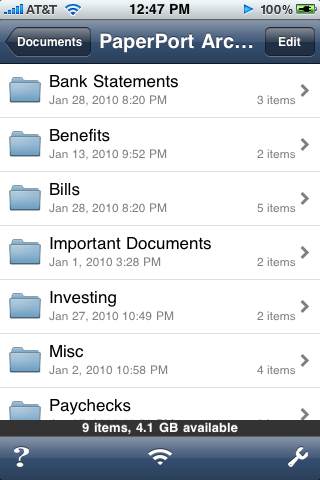
  • syncing (or lack thereof): requiring iTunes also makes it difficult for applications to sync their data for backup. Palm had HotSync and conduits which allowed third-party developers to create custom “tunnels” in HotSync that were basically transparent to the user. To sync my eWallet desktop with my iPhone data, I have to open each application (on my PC and the phone), and then start the sync over WiFi (totally outside of iTunes). A kludgy workaround due to Apple’s control freak design. Even the photos and videos you take on the iPhone don’t sync down to your PC through iTunes, instead you have to use the built-in features of your PC since the device appears as a plain storage device (although you can sync certain folders of photos back to the iPhone from your PC if you want to carry a certain collection around).
  • I miss the clickwheel: using my iPod in the car without looking was pretty easy with the clickwheel. I was even pretty good at skipping most commercials (half a turn on the wheel was about 30 seconds). The iPhone isn’t as easy since it doesn’t have a lot of buttons. Yes, you can use the home button to skip tracks, or FF/RW, but for more accurate positioning you have to use the on-screen scrubber with your finger, which is pretty dangerous to do while driving.
  • lack of customization options: sure I can drag the app icons around to different pages, but I can’t rename them, can’t leave empty spaces on the grid, can only assign a few different options to the home button, etc. Sure, I could mess around with jailbreaking and probably address some of those concerns, but I need to be able to support this device at work so I can’t deviate too much from the delivered experience.
  • battery life: forgive me … I’ve been using a Treo on the Edge network for almost 4 years and battery life was pretty darn good. I’d only have to charge it overnight and it was good for all day. 3G and all the other cool stuff I can do on my iPhone really sucks the battery dry quickly. When I had my separate iPod and Treo, it didn’t matter if my iPod died while listening to music during the day since my phone still worked. Now that I have this single device I need to be more careful about making sure I keep it charged. The lack of a user-replaceable battery is a downer too. It’d be nice if I could just buy a new battery and put it in myself instead of having to send the whole phone back to Apple for a “repair.”
  • fingerprints: it really sucks that 5 seconds after taking this beautiful shiny piece of technology out of the box it’s covered in my greasy fingerprints. The matte finish screen protectors I got at the AT&T store do a decent job of hiding them, though, and make the screen a lot less reflective and not so glassy to the touch.
  • it’s delicate: this will take some time to play out, but the Treos were solid. Not that I drop my phone a lot, but when I do, it’s usually in a bad way. The Treo might have gotten scratched or scuffed, but it kept on working. Little plastic tanks. I’m not so sure about the iPhone. I already dropped it once onto concrete but luckily I have that impact rubber case and it landed screen up. The folks in the office are pretty hard on their devices (based on the drawer full of broken phones in my desk) so it’ll be interesting to see if the iPhone is up to their abuse.

What Apps Do I Use?

There’s an app for everything, right? Another of the big draws of the iPhone is the thousands of applications available in the iTunes App Store. One of the first things I had to do was find iPhone equivalents of the applications I used on a daily basis on my Treo. Here’s what I’ve got so far.

  • What I used on the Treo: eWallet
  • What I switched to for the iPhone: eWallet ($10 for iPhone, or $20 usable on multiple devices including PC)

Like anyone, I have a lot of passwords, logins, and various personal private information I need to carry around with me. To keep all of this sensitive information secure and portable, I’ve used Ilium Software’s eWallet application for many years. Luckily this switch was easily since Ilium has PalmOS, Windows Mobile, PC, and iPhone versions of  eWallet, and now I’ve used them all. Migrating my data was simple, although synchronization between the desktop and iPhone versions is a little cumbersome since you have to initialize the sync on both devices at the same time over WiFi. Still, being able to access all of my passwords, accounts, and other stuff I store in my wallet on the iPhone is great.

  • What I used on the TreoListPro
  • What I switched to for the iPhoneEvernote (free)

I also keep a lot of random information on my handheld: gift ideas, vacation days, clothes sizes, various house information/measurements, lists of all sorts! So Ilium Software’s ListPro was another application I relied heavily on, using it both on my Treo and desktop PC. Unfortunately, Ilium hasn’t produced an iPhone version of ListPro yet so I had to search for alternatives. I ended up trying Evernote, which has iPhone and PC versions (in addition to many more, including via a web browser). Evernote requires you to create an account on their website, so technically your notes are being stored on their servers and then synced with your different devices. You can store text, images, documents, etc. but keep in mind the only notes you can actually edit on the iPhone have to be plain, unformatted text (so no checkboxes, bullets, etc.). Creating notes on the iPhone has the benefit of automatic location tagging, using the phone’s GPS. The basic free service has a limit on how much you can upload a month, so there’s a premium service you can pay for without those limits and also includes things like extra security. I had to manually copy/paste all of my lists out of ListPro into Evernote, which was a bit of a pain, but it did give me the opportunity to clean up and re-organize some of my lists.

  • What I used on the Treo: Tasks (GoodLink)
  • What I switched to for the iPhoneiMTasks (no longer available, replaced by iMExchange 2)

With GoodLink on my Treo, my e-mail, contacts, calendar, tasks, and notes from Outlook were all synchronized in near real-time. The iPhone handles the e-mail, contacts, and calendar, but not the to do list or notes. I am a heavy user of Outlook tasks so I really wanted those synced to my iPhone. For whatever reason, Apple decided not to bake that in. Instead, I had to purchase RERLSoft’s IMTasks app. Once I entered my Exchange information, the app downloaded my to do list and keeps it synchronized (although only while the app is open). Hopefully the forthcoming GoodLink client for the iPhone will include this (update, 07/2012: almost three years later and it’s still not part of the Good app), but for now this was a must-purchase function for me. RERLSoft has a version that includes Outlook notes synchronization (and also allows you to manage your out-of-office setting), but since I’m using Evernote now I decided to stop using Outlook notes altogether.

  • What I used on the TreoTealAuto
  • What I switched to for the iPhoneGas Cubby ($5, free lite version available)

Some other data I keep on my phone is car information: gas mileage, repair history, etc. On my Treo I used TealPoint’s TealAuto application to store and track fill-ups, repairs, maintenance, etc. Without an iPhone version, I tried out a few of the vehicle apps in the App Store, including the free “lite” version of Gas Cubby and eventually ended up purchasing the full version. Using the Windows version of TealAuto, I was able to export all of my data from my Treo into a CSV file. Then, using App Cubby’s unsupported import feature, I was able to load it all into Gas Cubby. The import only supports gas events, though, not maintenance, so I manually entered our 2009 maintenance events into the app later (not a big deal since there were a lot less of those compared to fill-ups). If you’re a multiple iPhone home and purchase multiple copies of Gas Cubby, you can even keep the data synchronized across devices, which is a cool feature.

  • What I used on the TreoiSilo
  • What I switched to for the iPhoneStanza (free)

If you read this blog you know I do a lot of reading on my PDA. There’s not a version of iSilo for the iPhone so I had to try out a few free e-readers. I settled on Stanza. Using the desktop version, I was able to convert the book I’m reading from the Baen free library from HTML into a format for the Stanza reader and transfer it to my iPhone. Having the larger, higher resolution screen on the device is great for reading. Plus you can change font sizes, colors, and themes (black on white, white on black, textured, etc.). I’ve also installed Amazon’s Kindle Reader (free), in case I decide to purchase some new e-books. No need for a Kindle now! Interesting, though, that Stanza is actually owned by Amazon. I wonder if eventually they’ll combine these apps?

  • What I used on the Treotussh
  • What I switched to for the iPhoneiSSH ($5), iRdesktop (free)

Why do I like remoting into my Linux server from my phone? Because I can, of course! iSSH let’s me login to my Ubuntu box at home via command-line or tunnelled VNC. The free iRdesktop utility lets me connect to my Windows servers at work when I have my iPhone connected to the VPN. Amazing. There’s even a free Citrix client (but I haven’t gotten it to work properly yet).

  • What I used on the TreoiRogue
  • What I switched to for the iPhoneRogue (free)

My daughter loves playing iRogue on my Treo and I like it too, so of course I needed the iPhone version! 😀

Some other apps I’ve purchased/installed include:

  • iEmergency+ ($1) allows you to store your emergency contact information (phone numbers, medical info, etc.) in a single place and also has a helpful utility for adding ICE information to your iPhone’s lock screen.
  • Using VIP Access (free) means I don’t need to carry around my PayPal football or VeriSign Secure Card since my iPhone can now act as my security token.
  • The iPhone doesn’t allow for multiple e-mail signatures when you use multiple e-mail accounts. JohnHancock ($2) lets you create and switch between as many as you need. There doesn’t seem to be an elegant solution, but this app at least provides one.
  • RedLaser ($2) is an amazing barcode scanning application. Point your iPhone’s camera at any barcode and the app will pull up a list of prices from other stores. The latest update even uses the GPS to find local prices. If nothing else, it’s fun to play with.
  • Chess with Friends (free) and Words with Friends (free) from New Toy, Inc. are basically chess and Scrabble games you can play “online” with other iPhone users. Really cool for playing with friends or relatives who live far away. We used both of these games in the car on our recent Thanksgiving holiday trip to play games without having to pass a single iPhone back and forth. 😉

What Do I Think?

The iPhone is a really slick device. The first few days were rough for me, since I was really set in my ways with my Treo and doing things in a certain way. Over the past two weeks, though, as I’ve had time to get better acquainted with my new shiny toy business tool, I have to admit it is a well engineered piece of hardware and software. Now I have a single device that really covers all the bases. Pretty incredible.

Got any other must-have/must-try apps for me, or other iPhone advice, tips, or tricks? Leave me a comment!

Back home, via the maze

We left the panhandle this morning, bidding farewell to family, not looking forward to 8 hours in the car driving back to Tampa. We figured my daughter would need to burn off some energy before being stuck in the backseat for that long, so instead of going directly to I-10, we took US-98 along the gulf coast to Panama City Beach, home of the Gran Maze. My wife and I had done the maze over 15 years ago when we were still dating. Back then, the maze was still made of wood but it was destroyed by Hurricane Opal a few years later. It’s since been rebuilt using white vinyl fencing.

The goal is to enter the maze, visit each of the four towers, and get out as fast as you can. They keep a record board of the previous day’s top ten times. It took us 39 minutes and we were the first visitors of the day, so at least we were in first place when we left. Based on the previous winners’ times of about 16 minutes, I’m sure our time didn’t stand for long. But my daughter had a great time leading us through the maze, and that was the real point of the trip. Here’s a view of the maze from Google Earth:

I joked with my daughter we could use that and GPS to cheat our way through the maze. 😀 I grabbed that screencap on my iPhone. Oh, hadn’t I mentioned I got an iPhone yet? That post is still forthcoming … 😛

After grabbing lunch in Panama City, we settled in the car for the long drive. The weather was perfect and we even avoided the traffic we expected around Gainesville due to the Florida/Florida State football game. At least we have tomorrow (Sunday) to relax and recoup before heading back to work/school on Monday. Three more weeks until Christmas vacation!

Quick day trip to the Magic Kingdom

We’re on our way to north Florida to spend the Thanksgiving holiday with family, but today we swung through Orlando to spend a quick day at Disney. We needed to renew our annual passes that we had purchased last November anyway in order to get the extra three months for free. Now we’re set through February 2011! 🙂 The weather today was perfect, but the park was a little more crowded than in the past when we’ve come around Thanksgiving time.

Since we were just coming for the day, we figured on just staying at the Magic Kingdom and not doing any park-hopping. Thus, we decided to try out a few of the attractions we either had never been on, or hadn’t been on in a long time. First things first, we got Fast Passes for Space Mountain. The ride had been closed for remodeling since April and is my daughter’s favorite roller coaster at Disney. It just re-opened this past weekend so we definitely wanted to get on it. No surprise, our Fast Passes obtained around 9:30am were for 5:30! That gave us the rest of the day to wander around. Thinking we could get a sneak peek of the Space Mountain changes, we hopped onto the Tomorrowland Transit Authority. To our surprise, the tunnel through Space Mountain is totally dark and you can’t see any of the ride anymore (we found out why later, once we got onto the coaster). Still in Tomorrowland, we rode the Astro Orbitor, another ride we hadn’t been on (in about 13 years). It was a first for my daughter though and she really loved it, considering it just goes up and down and around in circles just like the Magic Carpets or Flying Dumbos (just a bit faster).

After lunch we went to Fantasyland, rode the obligatory “It’s a Small World” and also went to see PhilharMagic (a personal favorite). In Liberty Square we went into the Hall of Presidents to see that show (I could have sworn I saw the Bill Clinton “robot” check his watch while Barack Obama was speaking! ;-)), which is now narrated by Morgan Freeman. In Frontierland, the river boat ride is now part of the promotion for Disney’s new upcoming animated feature, “The Princess and the Frog.”  The film doesn’t come out for another two weeks but there’s already a New Orleans-style parade featuring the princess (and prince) and some Mardi Gras-type characters and music. We rode the slow river boat around Tom Sawyer’s island (which we didn’t get to) with some great views of the back side of the Thunder Mountain Railroad coaster.

I couldn’t convince my daughter to go through the Haunted House, so we walked back to Tomorrowland intending to use our Fast Passes to Space Mountain and found it had been shut down! “Technical difficulties” the cast member outside the line said. He told me to check back later and any Fast Passes would still be valid. We snagged Fast Passes for Buzz Lightyear’s Space Ranger Spin and then had dinner. After a race over on the Tomorrowland Grand Prix, we went to the Monster’s Inc. Laugh Floor where my daughter had a joke she had texted in read in the show!

By this time, Space Mountain was running again! We noticed a few changes while going through the line, primarily the addition of interactive video game screens on the standby side of the line and the “closed roof” of the waiting area. You can no longer see the coaster itself (what little you could see) while in the back-and-forth area of the line. This actually makes the ride itself darker because you can’t see the people in line. The “stars” seem to stand out more since there is less light on the ride. The coaster track itself hasn’t changed and it’s still my second-favorite Disney coaster (behind the Rockin’ Roller Coaster at Hollywood Studios and just ahead of Expedition Everest at Animal Kingdom).

After our speedy space ride, it was time for our Buzz Lightyear Fast Passes so we got in line to “shoot some aliens!” It was getting late, so we found some seats near the front of the park for the SpectroMagic parade, which my daughter, who actually awake this time, loved. Since no view of the evening fireworks could beat our last trip we left the park and drove to our hotel for the evening. Tomorrow morning we hit the road for the panhandle.

WIJFR: Green Mars

The sequel to Red Mars details an early 22nd-century Mars controlled by Earth’s metanationals, gigantic corporations intent on exploiting Mars. Debate among the settlers–some native-born, some the surviving members of the First Hundred–is divided between the minimalist areoformists, who have come to love Mars in all its harshness, and the terraformists, who want to replicate Earth. As the surface of Mars warms and is seeded with genetically altered plants, the settlers await Earth’s self-destruction, which they hope will give them a chance to claim their independence.

It took almost two months since finishing the prior book (I haven’t had a lot of free reading time lately) but I just finished “Green Mars,” the second installment of Kim Stanley Robinson’s Mars trilogy.

“Green” starts roughly 14 (Earth) years after the end of “Red.” To the new generation of native-born children, Mars is the only home they’ve known, and due to the effects of growing up in the lower gravity of Mars, they’ll never be able to go there. But they don’t care about Earth … these children (the ectogenes) are splintering off into more semi-political groups like the Reds or Marsfirsters as the planet continues to struggle with the metanational corporations back home. Meanwhile, the terraforming efforts continue to change the face of the red planet: algaes, lichen, and moss are being joined by stunted trees, shrubs, and flowering plants. The surface temperature, atmospheric pressure, and oxygen levels are slowly rising, as the CO2 levels are getting lower. Pumps all over the planet continue to fill the lower basins with water from below the surface. It’s all broken ice now, but eventually it will melt and become the new Martian seas.

Jumping forward about 50 years, the majority of the book takes place in the early 2120s, and the reader is reunited with several of the First Hundred who originally landed on Mars nearly 100 years earlier. The space elevator is back, and the latest massive construction project is the soletta: a 10,000 kilometer wide “magnifying glass” orbiting halfway between the sun and Mars, intensifying the sun’s rays providing more light and heat.

Some things never change, though. The remaining members of the First Hundred are still in hiding, as fugutives since the first attempt at revolution. Political and cultural pressures continue to pull everyone in different directions. Will the future see an independent Mars? Or will history repeat itself with another deadly revolution like ’61? Read the wiki article for a better summary. 😉

Robinson’s writing is incredibly detailed, both at the scientific, cultural, and political levels. Just like in the first book, each major part of the story is seen from a particular character’s point of view. Even though I read these two books back-to-back, it was like being reunited with old lost friends from the first novel: Maya, Nadia, Sax, or Ann. I’m looking forward to starting the final book, “Blue Mars” over the upcoming holiday.

Wii Fit “is a very, very mild workout”

This is really no surprise to me, but an American Council of Exercise study on the effectiveness of Wii Fit determined it to be “underwhelming” (found via Joystiq).

I’ve always said it was a combination of Wii Fit and changing my eating habits that made it possible for me to drop 40lbs. Just playing Wii Fit alone wouldn’t have really done much, but it was responsible for getting me into a habit of an (almost) daily exercise routine … and it’s fun. Going running outside for 20 minutes does not sound like fun to me, but I can do that easily in front of the TV with Wii Fit. I think everyone agrees that fun exercises will keep you coming back and those that aren’t fun turn into the dusty, unused Soloflex sitting in the corner of your den. 😀

The article does concede that some exercise is better than none, and that Wii Fit Plus might be better due to the customization of routines with less lag time in between (which I agree with). It’s an interesting read.

Now on my iPod: Nerdcore hip hop

Ever since I started playing Kingdom of Loathing a few months ago, I’ve been listening to the “120 Minutes of Jick and Mr. Skullhead” podcast/radio show. Through them, I was introduced to Nerdcore hip hop since the Asymmetic crew are friends with MC Frontalot, the artist who coined the term.

I’m not actually new to Geeksta rap … I’ve had MC Hawking and Minibosses tracks in my collection since at least 1998 (and of course a few specific songs by “Weird Al” Yankovic like “It’s All About the Pentiums“).  This is first time I’ve heard it categorized into a specific genre (other than parody), however. Now I’ve been listening to new (to me) stuff by groups like Optimus Rhyme.

Want a quick introduction to nerdcore hip hop? Check out the NerdcoreNow compilations.

If you already own Wii Fit, get Wii Fit Plus

While I continue to wait for the delivery of my FitBit I picked up Wii Fit Plus last weekend.

Wii Fit Plus is basically an upgrade to the original Wii Fit that came with the balance board: it contains all of the original games and activities, then adds a bunch of new games (Training Plus) and features. It will automatically import all of your data from Wii Fit so you won’t even need your old disc anymore. So, what’s new and cool?

First off, you can now create profiles for babies and pets. Why? Well, I guess if you want to be able to track the weight of those smaller members of your household it can come in handy. Like in Wii Fit, the balance board weighs you first, and then you holding your dog, cat, or baby to calculate the difference. It’s kinda cute to see our dogs in the Wii Fit Plaza.

A new “multi-player” feature is available from the Wii Fit Plaza which allows a bunch of people to alternate playing the mini-games, but none of it counts towards Wii Fit credits. I guess it’s just a way to allow your guests to try out the games without needing to create a profile, get weighed in, etc.

One new feature I was looking forward to was the addition of routines, basically “playlists” of activities that was supposed to streamline performing multiple exercises in a row without all of the pausing and clicking. Unfortunately, you can only add Strength Training and Yoga activities to a routine, not any of the Aerobics or Balance activities. Also, you’re limited to a certain number of reps. For example, instead of having the option to add 5, 10, or 20 push-up and side-plank reps, you can only choose 6 at a time. To work around this you’d have to add multiples of the 6-rep activities in a row:

Once you do have the routine set up, though, it definitely makes performing multiple activities more efficient. You don’t need to keep clicking the A button a bunch of times to move on, you just see a brief checklist and then the next activity starts.

Wii Fit Plus also assigns METs (Metabolic Equivalents) to activities so in addition to showing you the number of minutes you’ve exercised (Wii Fit credits) it will also calculate the number of calories you’ve burned. New options in the Activity Log also let you track your waist size and the number of steps you’ve taken during the day (assuming you have a pedometer to track that data for you … this is where my FitBit will eventually come into play).

The new Training Plus games are a lot of fun too! Cycling, Segway riding, snowball fights, the obstacle course, and many more new additions can really get you back into Wii Fit if you’ve been getting bored with the old activities.

So, if you bought Wii Fit give Wii Fit Plus a try … it’s definitely worth the $20 (or less, if you shop around).

Kickstarting the Karmic Koala

Last week, Ubuntu 9.10 (Karmic Koala) was officially released so over this past weekend I went ahead and upgraded my server to the new version. As with my prior upgrades, I ran the process remotely over SSH (my server is a headless box sitting in a closet) and it was very smooth. The only minor problem I had was the initial download of the required packages failed, but I suspect that was because the Ubuntu site was being slammed with everyone downloading the new software. I restarted the upgrade several hours later, the downloads completed and the upgrade proceeded. After the release upgrade was done, I only had to put back a few minor tweaks and customizations (such as disabling IPv6), do a quick reboot, and the box was back in business.

I also grabbed the release version of the Netbook Remix since I had installed the beta on my EeePC earlier last month. I wasn’t able to get it to install, however: the system booted just fine from the USB drive where I extracted the ISO, but the installer would crash almost immediately with the following error: “Cannot mount /dev/loop1 on /cow.” I found this thread on the EeeUser Forums that seemed to think it was a problem using Ubuntu’s own USB creator utility to “burn” the image onto the thumb drive. So I used unetbootin to re-image the drive and that fixed the problem! Strange that Ubuntu’s own utility would have a problem like that.