TiVo Bolt

TiVo BoltIt’s been three years since I bought my last TiVo and now that I have a 4K TV I wanted to be able to watch some 4K content. Despite Rovi’s purchase of TiVo and the uncertainty of the future of the hardware business, I purchased TiVo’s latest Series6 model, the TiVo Bolt UES (Unified Entertainment System).

I went with the smaller (500gb for 75 HD hours) hard drive model because in retrospect, my six tuner, 3TB Roamio Pro seemed to be overkill for my needs: even with two Minis in the house I didn’t see a lot of tuner contention and that DVR’s hard drive hardly went above 20% utilization. Hard drive upgrades are pretty simple, though, should I need to expand the Bolt’s recording capacity. This is also the first TiVo I’ve owned since my original Series2 boxes that I haven’t purchased the lifetime service plan for. Instead, I went with the annual fee, figuring this would make it financially easier to replace the box in the next few years if something goes wrong with it (lifetimed units aren’t eligible for the Continual Care Warranty), or a newer, better model comes out (despite the Rovi’s ownership) and I want to upgrade.

Read more

Netgear GSS108E managed click switch

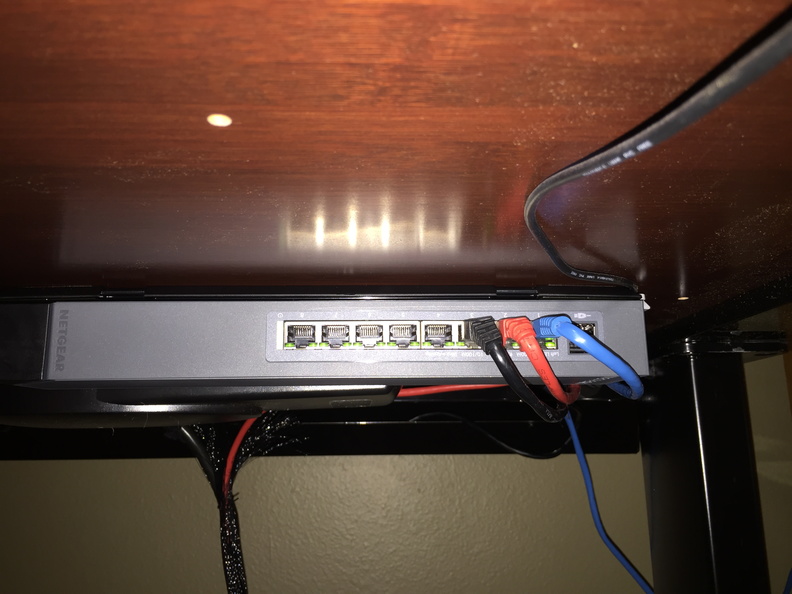
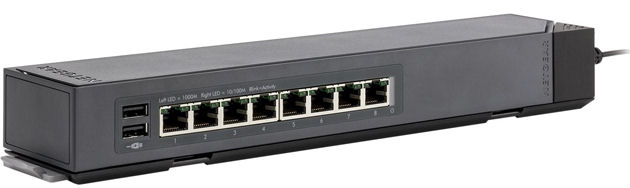
Netgear GSS108ELast week at work we received a pair of Netgear ProSafe gigabit managed click switches (the 8-port GSS108E and 16-port GSS116E) to outfit a conference room. I was impressed with the mounting options and after seeing the 8-port one was less than $50 on Amazon, I decided to get one for my home office.

The GSS108E replaced a TRENDnet TEG-S80g (a sturdy metal, 8-port gigabit switch), which I had sitting on top of my standing desk. The click switch can be mounted in four different ways, and the power cable attaches in two different ways to accommodate most installations. I attached the plastic mounting plate to the underside of my desk (with the included screws but opted not to use the additional adhesive pads), clicked the switch onto the plate, and then re-ran my cabling. The result is a cleaner desktop and some extra USB charging ports easily accessible under the desk. Unfortunately in this position the labels on the ports are upside down, which seems like a slight design oversight.

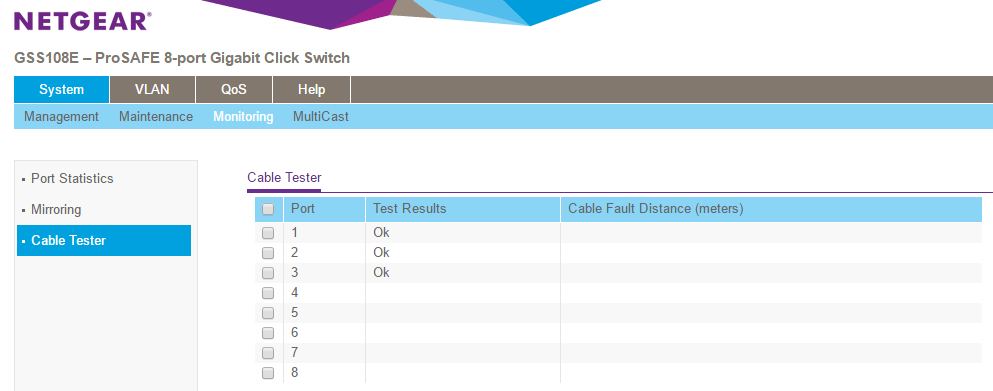
The plastic GSS108E and metal GSS116E are managed switches, so you can log into their web interfaces and do some basic configuration like setting up VLANs, enabling QoS, configuring mirror ports, performing cable tests, or turning off the LEDs. Not features I need in my home office but not bad for a sub-$50 piece of hardware.

Samsung UN50JS7000 50″ LED 4K SUHD TV

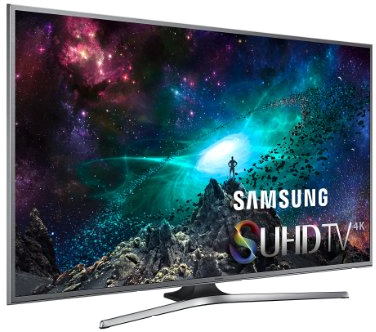
Samsung UN50JS7000After over 11 years of faithful service as our primary family room TV, my 42″ Panasonic plasma died last week. Time to do some TV shopping!

It’s hard to believe we’ve been using an ED (that’s right, 480P) television as our workhorse display for the past 11 years. When we bought it, we couldn’t quite afford the hefty price tag of the new HDTVs. My priorities at the time were lots of jacks (composite, component, HDMI, etc.) and the CableCARD slot for future digital cable. Over the years I’ve had all sorts of equipment connected to the TV (VCR, DVD changer, DVD burner, Wii, multiple TiVos, etc.) but never actually used the CableCARD slot (thanks to my first HD TiVo in 2006).

While connections are still important, my setup is now significantly simpler: the only thing I have connected to the TV is the TiVo Roamio Pro (via a single HDMI cable) and an optical audio cable to the receiver (which is 16 years old and still kicking!). So my priorities this time around were picture quality, size (the TV needs to fit in some built-in shelving), and miscellaneous extras like network connectivity, Bluetooth, etc.

After doing all of my normal Consumer Reports research, reading internet reviews, and doing price comparisons, I selected the 50″ Samsung UN50JS7000 (the 55″ model was unfortunately just a smidge too tall to fit in my cabinet) and picked it up a at local Best Buy (who also took care of recycling my old plasma for $25).

Read more

Nest 3rd gen learning thermostat

Nest thermostat

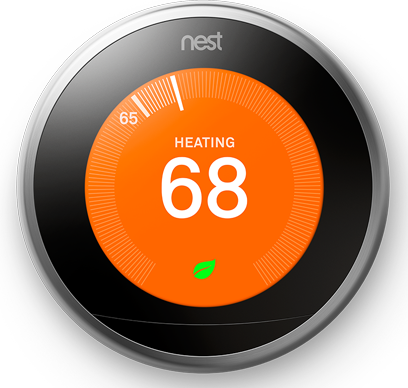
I’ve been wanting to try the Nest learning thermostat since the first one was released back in 2012. At the time, though, I had just installed my ADT Pulse and Z-Wave home automation system. Putting in the Nest would mean using a separate app to control my home’s temperature outside of Pulse with no integration between the two systems.

Fast forward to 2015: in July, ADT announced that Pulse now supported the Nest and in September, the 3rd generation of the learning thermostat was released. The Honeywell Z-Wave thermostat that I had added to my Pulse system in 2013 was functional, but not “cool” so I finally decided to give the Nest a try.

Read more

Microsoft Surface Pro 4

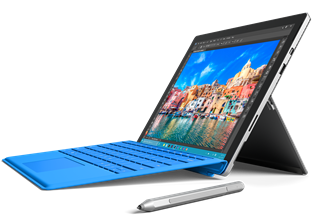
Surface Pro 4At work we’ve been using Microsoft’s Surface Pro since its original release and it has been our standard issue laptop since last year, starting with the Surface Pro 3. Moving forward, we’ve starting deploying the latest Surface Pro 4 with Windows 10. I’ve been using the SP4 for the past week as my primary machine in the office and other than some obvious hardware enhancements and some cool new features, it’s pretty much the same as the SP3 (and in fact, this post will pretty much be the same as the one I wrote back then).

Read more

Disney Very MerryTime cruise

Three years ago we went on our first cruise (on the Disney Dream) right before Thanksgiving. This year for Christmas, we decided to go on an eastern Caribbean Very MerryTime holiday cruise. After months of planning and preparations, we just got back from a week of relaxation and recreation on the Disney Fantasy, and we had an incredible time.

Read more

Canon PowerShot SX710 HS and Olympus Stylus Tough TG-4

Despite being only four years old, my Canon PowerShot Elph 300 HS had been showing its age: there were annoying dust specks on the CCD and it had been taking longer and longer to auto-focus, causing me to miss shots. I decided it was time for a new camera. The top features I wanted? A really good optical (not digital) zoom, preferably waterproof, WiFi/GPS, and, of course, a decent price. After doing a lot of research it became apparent I wasn’t going to find a single camera that met all my criteria, but with prices so good why not get two new cameras?

Being a long-time Canon customer (since my first A70 back in 2003) I selected the Canon PowerShot SX710 HS as my daily-use super-zoom camera. For the specialty waterproof/rugged camera, I chose the Olympus Stylus Tough TG-4.

Read more

Windows 10

It’s Windows 10 release day! The free upgrade for qualified devices is now available to the general public.

I’ve been using Microsoft’s latest desktop OS since the first Technical Preview was released for Windows Insiders last October, mainly on my old original Surface Pro 1 just to get a jump on learning the new software and seeing how it progressed. For the past two weeks I’ve been running the final builds on my new main home PC and the transition from Windows 7 has been pretty smooth. It’s definitely grown on me since that first tech preview.

We won’t be upgrading our Windows 7/8.1 PCs at work to Windows 10 anytime soon, but now that it’s officially released I’m sure we’ll start seeing new PCs with it pre-installed showing up soon. Luckily, so far it seems like Windows 10 will be an easy transition. Time, as always, will tell.

Intel NUCs

Since getting my standing desk at home last last year I’ve been thinking about getting a new, smaller PC that would fit on top of my desk instead of under it (like my old Dell Inspiron from 2008), eliminating cable clutter.  With the upcoming release of Windows 10 I had been thinking more about this and also replacing my Aspire Revo Linux server with a newer box. The nettop had the benefit of being small and quiet, although slightly underpowered, which made it a decent “server” to hide away in my networking closet. Using size, features, and cost as my guides, I decided to go with Intel NUCs for both replacements.

Read more